
Troubleshooting
Crashing when using BetterDiscord can be frustrating. Here are some helpful tips to solve your issues.
⚠️ BetterDiscord seems to have crashed your client.
This is a very generic error that could mean any number of things. It also doesn’t necessarily mean BetterDiscord was at fault. It could have been a plugin or even Discord itself. It’s just difficult for BetterDiscord to tell who is the cause so it catches them all.
Fixing issues like this involves the following:
- Switching to Stable from Canary or PTB
- Manually updating library plugins
- Removing unofficial plugins
- Rename the plugin folder
«Well, this is awkward» or «You died, looks like you got slaughtered by an Error Level 9000»
This type of error is usually caused by plugins or BetterDiscord being out of date. Ensure your copy of BetterDiscord and your plugins and keys are up to date.
Installation
This section goes over common issues and pitfalls when trying to install BetterDiscord.
General Issues
Cannot select stable, or BetterDiscord not installed after installing
This is usually an issue with Discord moving around its installation location on Windows. Sometimes the installer is unable to differentiate what to do. To fix it, select Browse in the installer, then enter %localappdata%/discord/app-1.0.9006/resources in the address bar at the top. If this has the same issue repeat this but using %programdata%/%username%/Discord/app-1.0.9006/resources
Installer won’t open
If you are on Linux try running with the —no-sandbox
If the installer does not seem to open, follow these steps:
- Download and install 7-Zip
- Right-click and extract the BetterDiscord installer into a folder.
- Run the exe found in the folder.
Follow the manual installation instruction.
Installer is all black
Try one of the following:
- Right-click the installer and select run as Administrator.
- Open the command prompt by pressing win + r type cmd and press enter. Then type ipconfig /flushdns and press enter in the window that appears.
- Disable your anti-virus temporarily.
Follow the manual installation instruction.
Cannot click the agreement checkbox
Click the text next to the checkbox instead, they are connected.
Specific Errors
❌ Cannot read property «assets» of undefined» OR installer freezing at «downloading asar file. »
Your installer is out of date, please go to the BetterDiscord website and download a new one.
❌ EACCES: permission denied, mkdir», or any error where at «shims» there is a «mkdir» error
The Discord installation has been corrupted. Try to reinstall Discord. If Discord fails to reinstall or you still run into this error then your best bet is cleanly uninstalling Discord then installing it again.
❌ Cannot read property «hasOwnProperty» of undefined» error
Fully close Discord. Fully deactivate any VPNs or firewalls. Make sure your installer is up to date. Then try again. If that still doesn’t work, see the previous entry about cleanly removing and resinstalling Discord.
Saved searches
Use saved searches to filter your results more quickly
Cancel Create saved search
You signed in with another tab or window. Reload to refresh your session. You signed out in another tab or window. Reload to refresh your session. You switched accounts on another tab or window. Reload to refresh your session.
Have a question about this project? Sign up for a free GitHub account to open an issue and contact its maintainers and the community.
By clicking “Sign up for GitHub”, you agree to our terms of service and privacy statement. We’ll occasionally send you account related emails.
Already on GitHub? Sign in to your account
Discord Crashes even after Reinstallation of BetterDiscord [Error] #903
Schattenfee69 opened this issue Jul 15, 2021 · 16 comments
Discord Crashes even after Reinstallation of BetterDiscord [Error] #903
Schattenfee69 opened this issue Jul 15, 2021 · 16 comments
Comments
Schattenfee69 commented Jul 15, 2021
—Description—
I tried to open Discord to talk to a friend but when i open it, Discord crashes with the Message «BetterDiscord crashed your Discord Client» and even after repairing BD with the Installer (GitHub troubleshoot Hotfix Version) it still keeps Crashing on relaunch.
—Reproduction—
I don’t know how to reproduce this Problem but some people have reported similar problems on MacOS.
this won’t fix my problem because my PC runs on Windows 10 x64 21H1 Update.
—Expected Behavior—
I Expected Discord to Launch without any Issues but if it keeps Crashing, i could probably think about your Hotfix Installer could be Hacked or something else has happened because this Behavior isn’t normal (or at least did it never occur on my PC until today)
—Screenshots—
-Better Discord Crash Message-
-In case you want to Contact Me on Discord (without BD enabled on my PC) to clarify things i can do against this error- 
-Discord Version (Stable)- 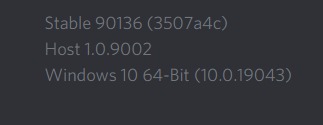
—Discord Version—
Stable 90136 (3507a4c) on Host 1.0.9002 using Windows 10 64-Bit (10.0.19043)
Thanks for Reading and (if possible) helping me out to solve this issue
The text was updated successfully, but these errors were encountered:
How I Fixed BetterDiscord Crash
A BetterDiscord crash most often occurs when you install a plugin that is not compatible with BetterDiscord. As a result, BetterDiscord will continue to crash until the problematic plugin is deleted.
Follow this complete guide to know to fix the BetterDiscord crash.

How I Fixed BetterDiscord Crash
The problem was easily resolved by uninstalling the plugin that was causing the issue.
Here’s the error, “BetterDiscord seems to have crashed your Discord client”
While identifying the source of the problem may take some time, there are a few straightforward measures you can take to resolve it quickly.
Search for the latest plugin you installed or updated.
To resolve BetterDiscord Crash, follow these simple steps:
- Open the BetterDiscord folder
- Remove the plugins that are causing the problem
- Repair BetterDiscord
- Reinstall BetterDiscord
1. Open the BetterDiscord folder
Enter %appdata% in the Windows search box and hit enter.
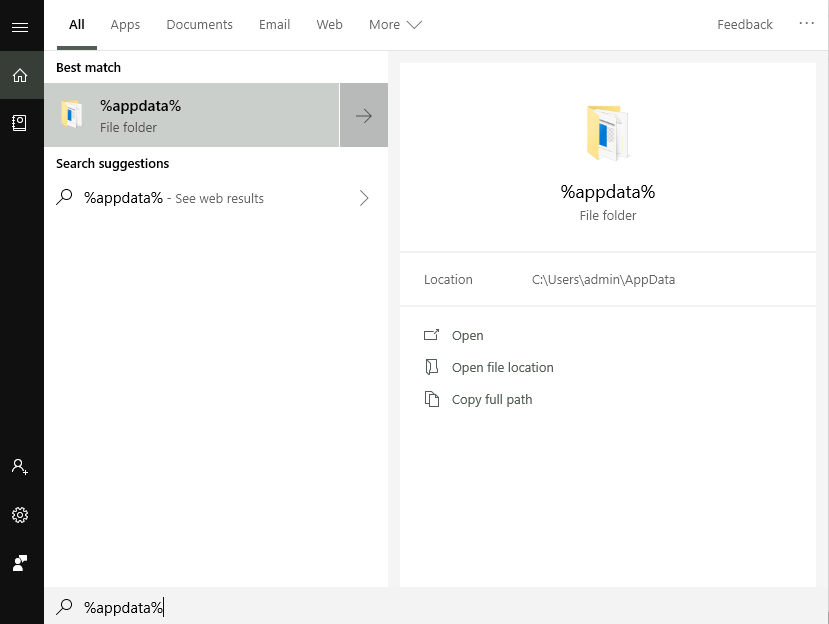
This will open the “Roaming” folder within the “AppData” folder.
This folder contains all of the applications that you’ve installed on your computer.
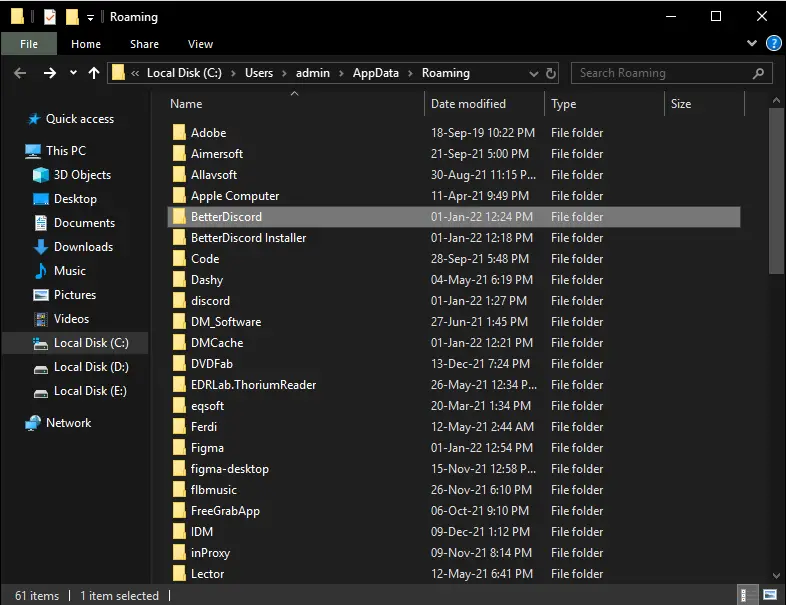
The next step is to locate the folder titled “BetterDiscord”.
Confirm that the “BetterDiscord” folder is open and not the “BetterDiscord Installer” folder.
2. Remove the plugins that are causing the problem
Following the opening of the “BetterDiscord” folder, locate the “plugins” folder.
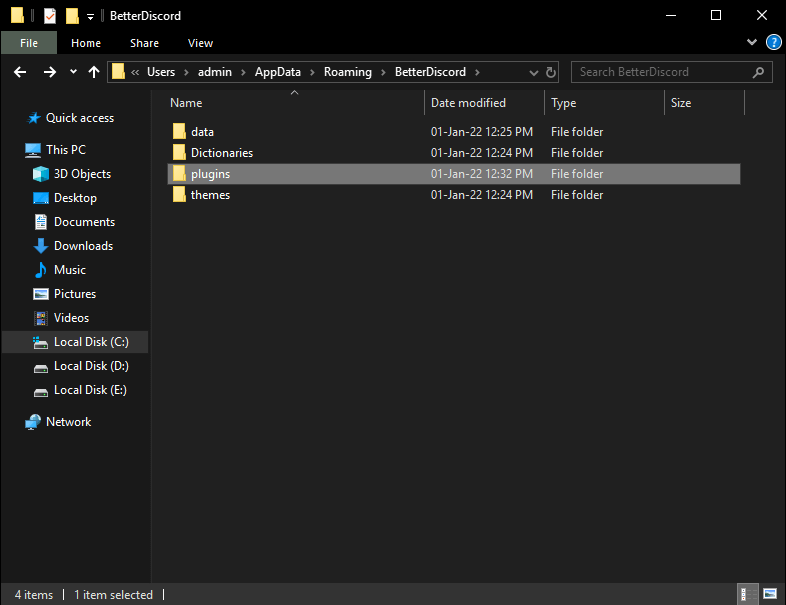
This folder will contain a list of all installed plugins as well as a number of other files associated with the plugin.
BetterDiscord crashes as a result of one or more of the plugins contained in the folder.
As a result, the first step is to delete the plugins and any associated files that are causing the issue.
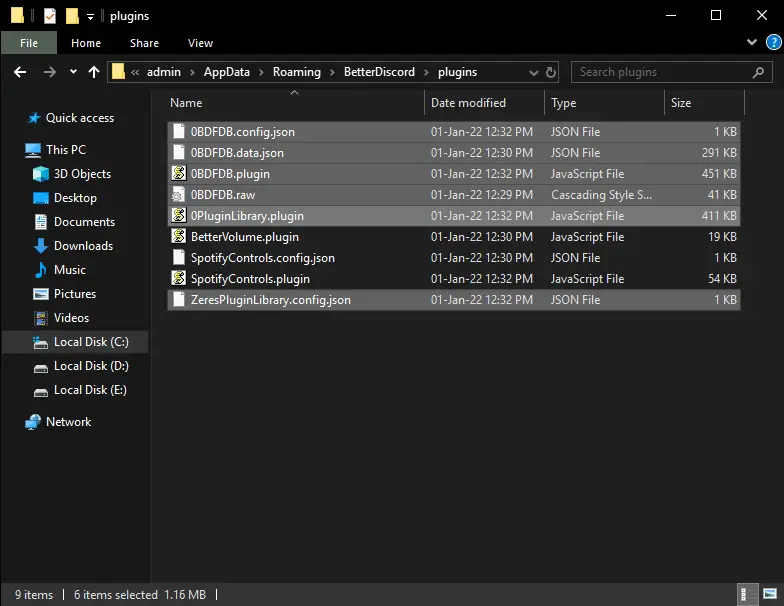
The majority of the time, library plugins are to blame for the crash.
Plugins such as “0BDFBD” and “ZeresPluginLibrary” are included in this category.
If you’re unsure which plugins to delete, delete them all together with their associated files.
Tip: Make a backup copy of the “plugins” folder if you intend to delete all plugins.
3. Repair BetterDiscord
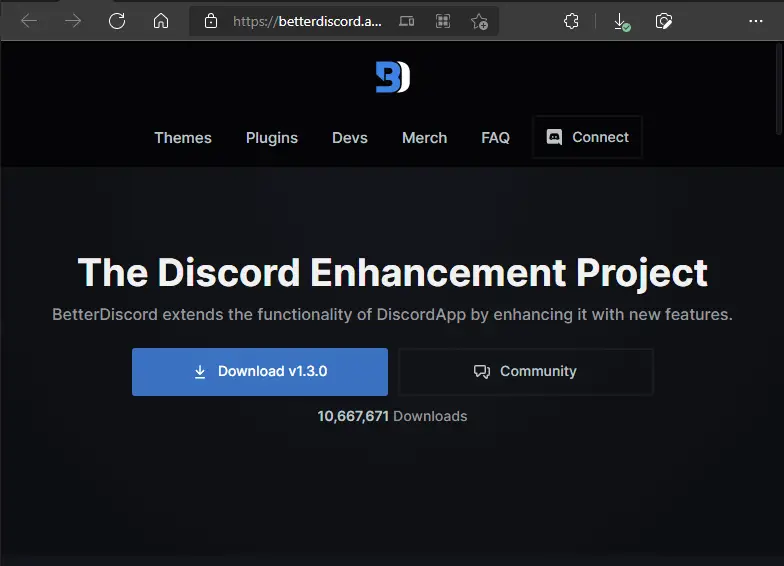
Now you must download the most recent version of BetterDiscord.
I’m aware you’ve already installed it, but this time we’re going to repair BetterDiscord rather than install it, so please re-download the BetterDiscord app.
BetterDiscord can be downloaded from their official website at www.betterdiscord.app
After downloading the software, simply double-click it to start the installation process.
Click the “Next” button to accept the license agreement.
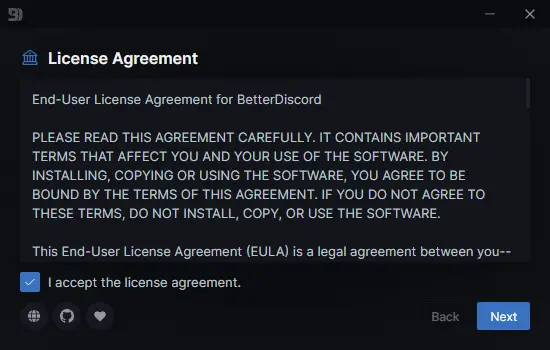
Following the “Next” button, you’ll be presented with three options:
- Install BetterDiscord
- Repair BetterDiscord
- Uninstall BetterDiscord
Select the second option, Repair BetterDiscord.
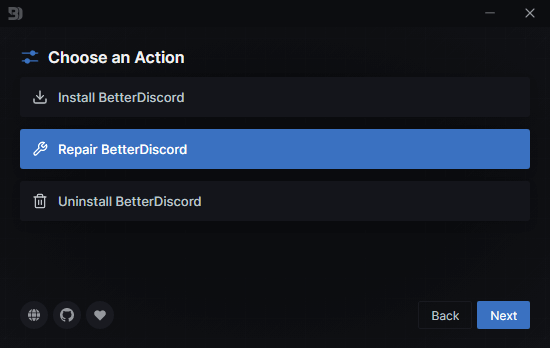
Following your selection of “Repair BetterDiscord,” click the “Next” button.
It will now prompt you to select the Discord version. There will be three different options:
- Discord
- Discord PTB
- Discord Canary
To repair BetterDiscord, select the first option and click the “Repair” button.
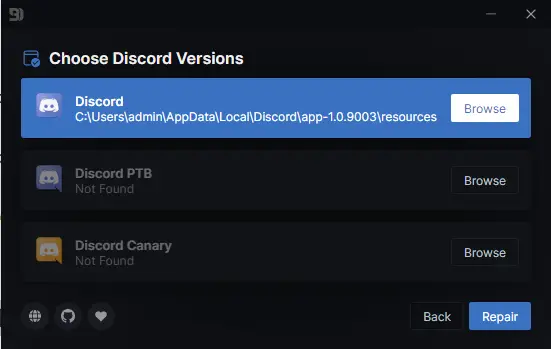
4. Reinstall BetterDiscord
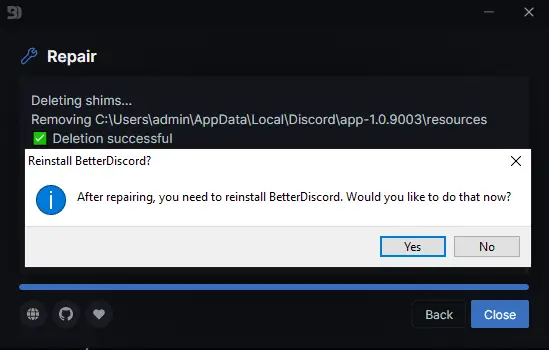
You’ll need to reinstall BetterDiscord following the repair, so select “Yes” to proceed.
The next pop-up notice will request that you restart Discord to complete the repair; select “Yes”.
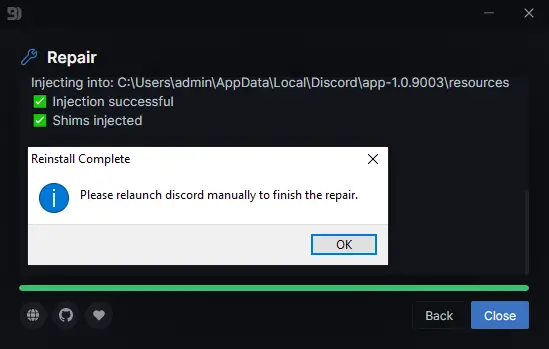
If Discord is currently running, close it and then reopen it.
After you start Discord, you may be prompted to update the plugin.
Avoid installing the latest plugin updates since they may cause BetterDiscord to crash.
Written By
Shubham Kamble
Shubham Kamble is a tech and geek culture writer with five years of experience. He writes about social media, cryptocurrency, finance, and SAAS products.
Вылетает при заходе в дискорд с беттер дискордом
Скачал беттер дискорд , установил в дс, захожу в дискорд, он закрывается, и высвечивается табличка: BetterDiscord seems to have crashed your Discord client.
BetterDiscord has automatically disabled itself temporarily. Try removing all your plugins then restarting Discord.
Голосование за лучший ответ

Конфликтует значит, удаляй Better.
Онлайн Переводчик.
__________________________
Егор ЕрмаковУченик (202) 1 год назад
Я уже раз 5 его переустанавливал, в том числе и дискорд, может вы знаете где находится папка с плагинами беттера? Я кажется понял от какого плагина крашит
Егор Ермаков Ученик (202) Егор Ермаков, Всё, я сам её нашел
Похожие вопросы