
Когда использовать собственный клиент SQL Server
Собственный клиент SQL Server (часто сокращенный SNAC) был удален из SQL Server 2022 (16.x) и SQL Server Management Studio 19 (SSMS). Собственный клиент SQL Server (SQLNCLI или SQLNCLI11) и устаревший поставщик Microsoft OLE DB для SQL Server (SQLOLEDB) не рекомендуется для разработки новых приложений. Перейдите на новый драйвер Microsoft OLE DB (MSOLEDBSQL) для SQL Server или последний драйвер Microsoft ODBC для SQL Server . Сведения о SQLNCLI, которые поставляется в качестве компонента ядра СУБД SQL Server (версии 2012–2019), см. в этом исключении жизненного цикла поддержки.
SQL Server Native Client — это одна из технологий, которые можно использовать для доступа к данным в базе данных SQL Server. Обсуждение других технологий доступа к данным см. в разделе Схема технологий доступа к данным.
При выборе того, следует ли использовать собственный клиент SQL Server в качестве технологии доступа к данным приложения, следует учитывать несколько факторов.
Для новых приложений, если вы используете управляемый язык программирования, например Microsoft Visual C# или Visual Basic, и вам нужно получить доступ к новым функциям в SQL Server, следует использовать поставщик данных .NET Framework для SQL Server, который является частью .NET Framework.
Если вы разрабатываете com-приложение и должны получить доступ к новым функциям, представленным в SQL Server, следует использовать собственный клиент SQL Server. Если вам не нужен доступ к новым функциям SQL Server, вы можете продолжать использовать компоненты доступа к данным Windows (WDAC).
Для существующих приложений OLE DB и ODBC основной проблемой является необходимость доступа к новым функциям SQL Server. Если у вас есть зрелое приложение, которое не нуждается в новых возможностях SQL Server, вы можете продолжать использовать WDAC. Но если вам нужно получить доступ к этим новым функциям, таким как тип данных XML, следует использовать собственный клиент SQL Server.
Как sql Server Native Client, так и MDAC поддерживают изоляцию зафиксированных транзакций с помощью управления версиями строк, но только sql Server Native Client поддерживает изоляцию транзакций моментальных снимков. С точки зрения программирования уровень изоляции транзакции READ COMMITTED с управлением версиями строк — то же самое, что и транзакция READ COMMITTED.
Сведения о различиях между собственным клиентом SQL Server и MDAC см. в разделе «Обновление приложения до собственного клиента SQL Server» из MDAC.
собственный клиент SQL Server
Собственный клиент SQL Server, также известный как SNAC или SQLNCLI, относится к драйверам ODBC и OLE DB для SQL Server до SQL Server 2022 (16.x).
Собственный клиент SQL Server (часто сокращенный SNAC) был удален из SQL Server 2022 (16.x) и SQL Server Management Studio 19 (SSMS). Собственный клиент SQL Server (SQLNCLI или SQLNCLI11) и устаревший поставщик Microsoft OLE DB для SQL Server (SQLOLEDB) не рекомендуется для разработки новых приложений. Перейдите на новый драйвер Microsoft OLE DB (MSOLEDBSQL) для SQL Server или последний драйвер Microsoft ODBC для SQL Server . Сведения о SQLNCLI, которые поставляется в качестве компонента ядра СУБД SQL Server (версии 2012–2019), см. в этом исключении жизненного цикла поддержки.
Дополнительные сведения и скачивание драйверов SNAC или ODBC см. в статье о жизненном цикле SNAC, описанной в записи блога. Дополнительные сведения о драйвере ODBC для SQL Server см. в статье Microsoft ODBC Driver for SQL Server.
Сведения о функциях собственного клиента SQL Server, выпущенных с sql Server 2012 (11.x), последней доступной версией собственного клиента SQL Server:
- Поддержка SQL Server Native Client для LocalDB
- Обнаружение метаданных
- Поддержка UTF-16 в SQL Server Native Client 11.0
- Поддержка высокого уровня доступности и аварийного восстановления собственного клиента SQL Server
- Доступ к диагностическим сведениям в журнале расширенных событий
ODBC в собственном клиенте SQL Server поддерживает три функции, добавленные в стандартный ODBC в пакете SDK для Windows 7:
- Асинхронное выполнение операций, связанных с соединением. Дополнительные сведения см. в разделе Асинхронное выполнение.
- Расширяемость типа данных C. Дополнительные сведения о типах данных см. в разделе Типы данных C в ODBC. Для поддержки этой функции в собственном клиенте SQLGetDescField SQL Server можно вернуть SQL_C_SS_TIME2 (для типов времени ) или SQL_C_SS_TIMESTAMPOFFSET (для datetimeoffset) вместо SQL_C_BINARY, если приложение использует ODBC 3.8. Дополнительные сведения см. в разделе «Поддержка типов данных» для улучшения даты и времени ODBC.
- Многократный вызов метода SQLGetData с небольшим буфером для получения значения параметра большого объема. Дополнительные сведения см. в разделе Получение выходных параметров с помощью метода SQLGetData.
В следующих статьях описаны изменения поведения собственного клиента SQL Server в SQL Server 2012 (11.x).
- При вызове ICommandWithParameters::SetParameterInfo значение, переданное pwszName параметру, должно быть допустимым идентификатором. Дополнительные сведения см. в разделе ICommandWithParameters.
- SQLDescribeParam последовательно возвращает спецификацию ODBC, соответствующую значению. Дополнительные сведения см. в разделе SQLDescribeParam.
- Изменение поведения драйвера ODBC при обработке преобразования символов
Далее
- Установка собственного клиента SQL Server
- Компоненты собственного клиента SQL Server
Top 8 Free, Open Source SQL Clients to Make Database Management Easier 2023
In the past, the only way to access or modify a database was through the command line, which was not only not intuitive, but also prone to errors that could lead to major problems. So people began to develop tools with a graphical user interface (GUI), and that became what we now know as SQL clients, which are basically front-end applications for database services. In this post, we are taking a look at some open source SQL clients options for you to try.

SQL Chat
SQL Chat is a young player (released in March, 2023), prompting SQL clients from the traditional GUI-based to the Chat-based stage: it’s powered by ChatGPT to write and polish SQL for you. Databases supported now include MySQL, PostgreSQL and MSSQL. You can access it directly via sqlchat.ai or deploy it via Docker.
SQL Chat launched on Product Hunt mid April, and it gained lots of attention that there’s a limit to the free service.

DBeaver
DBeaver is a veteran SQL client. In addition to basic visualization and management capabilities, it has a SQL editor, data and schema migration capabilities, monitor database connections, and more. It supports a full range of databases (both SQL and NoSQL). DBeaver is also hooked up with GPT-3, which converts your natural language to SQL.

It’s worth noting that DBeaver just announced a $6M seed round two weeks ago (the press release also mentions that DBeaver has over 8M users and 5,000+ paying subscribers), and the first since the author built it in 2013.
Beekeeper Studio
Beekeeper Studio is a modern (aesthetic) and lightweight SQL client that supports MySQL, Postgres, SQLite, SQL Server, etc. It is available on Linux, Mac and Windows.

The author of Beekeeper Studio is an independent developer who started building this tool in 2019 because he couldn’t find an easy-to-use cross-platform SQL client. After almost a year of hardwork, the first version was released in early 2020.
DbGate
DbGate works in Windows, Linux, Mac, and your web browsers without compromises in functionality. Both SQL and noSQL databases are supported, from MySQL, PostgreSQL, SQL Server, MongoDB, SQLite, to CockroachDB.

The author of DbGate says this was his passion project because he couldn’t find a SQL client for Linux. He had built SQL clients for Windows in the past, so this was influenced by his own work experience.
Sqlectron
Sqlectron is lightweight SQL client with simplicity in mind. It has cross-database (PostgreSQL, Redshift, MySQL, MariaDB, SQL Server, Cassandra, SQLite) and platform (Mac, Linux, Windows) support.

Similar to the story of the two aforementioned tools, the original authors of Sqlectron built this because he couldn’t find a tool on the market that worked well and solved his pain points (a simple, lightweight SQL client desktop with cross-database and platform support), but 2018 he mentioned that he hadn’t used SQL databases since changing jobs, and opened a GitHub Issue looking for a successor. It seems someone (semi-)took it over, with the most recent release last May.
HeidiSQL
HeidiSQL is also a lightweight SQL client that supports a long list of databases including MariaDB, MySQL, MS SQL, PostgreSQL, SQLite, Interbase and Firebird. In addition to basic SQL client functionalities, users can export structures and data to SQL files or copy them to the clipboard or other servers.

The codebase for HeidiSQL originally came from the author’s own MySQL-Front 2.5 software, but he later sold the MySQL-Front brand and the author renamed his project HeidiSQL and has maintained it to this day.
phpMyAdmin
phpMyAdmin was born in 1998, written in PHP, and is a classic SQL client. It was the default tool for LAMP and MAMP at that time. phpMyAdmin has grown to become one of the leading tools for managing MySQL and MySQL-like databases (e.g. MariaDB) It has over 200,000 direct downloads per month (and countless other users install it using prepackaged installations or using package managers).

pgAdmin 4
pgAdmin to PostgreSQL is what phpMyAdmin is to MySQL, and it can be used on Linux, Unix, macOS and Windows to manage PostgreSQL. pgAdmin 4, the latest pgAdmin, is a complete rewrite of pgAdmin using Python and Javascript/jQuery.

After taking a look at the history of pgAdmin, apparently the author came up with pgAdmin from scratch because the only option for managing PostgreSQL at that time (late 90s) was not working very well on Windows, which has since gone through many iterations.
To summarize
We briefly looked at the history of a handful of SQL Clients to understand some of the more famous open source solutions, rather than comparing the product or their functions (I mean, after 20 years of refinement those vetran SQL clients can’t be too bad, right?) . It seems that most of the authors began building because they were unable to find a product that fit their needs perfectly, but the story afterwards is very different: some tools were then commercialized, some continued on with a strong community, and some gradually faded out due to a change of focus.
And we wonder, with the popularity of ChatGPT, will there be more open source SQL clients like SQL Chat based on Chat interaction?
Beyond using the general SQL Client to interact with the databases, developers and DBAs also adopt a dedicated tool to compare and synchronize database schemas, go check out those tools.
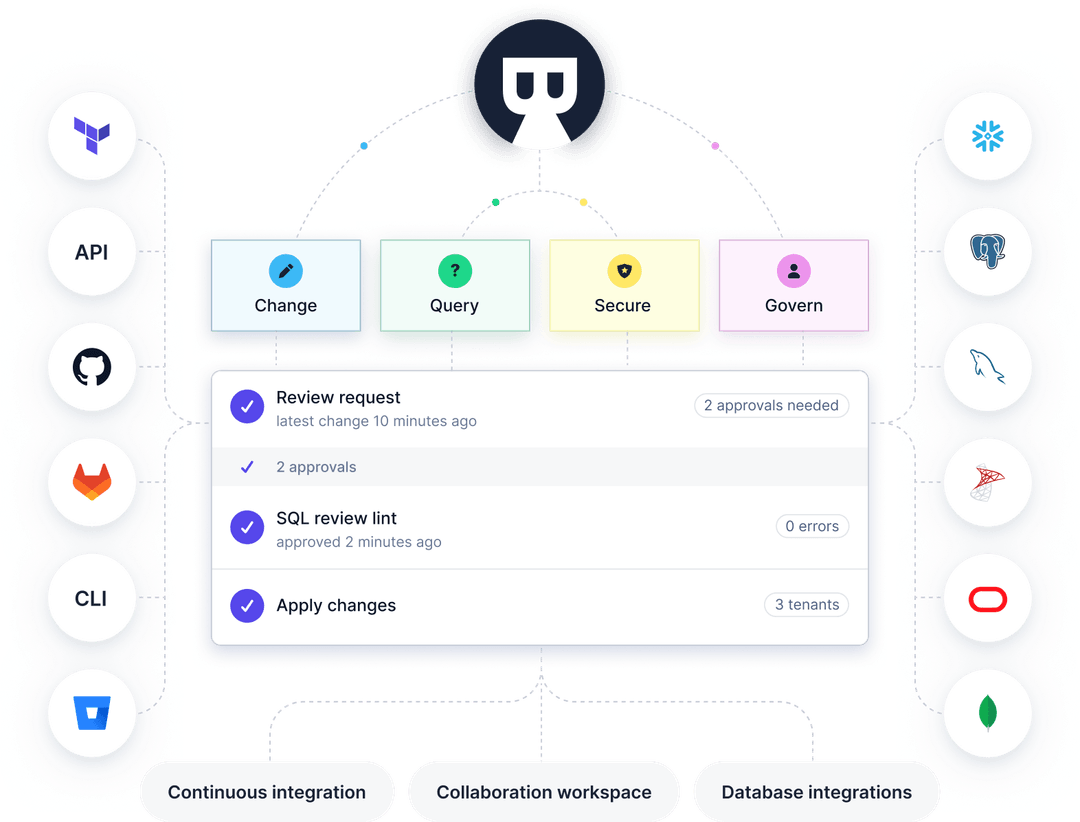
And if you want an all-in-one tool to provide not only general SQL Client features, but also management capabilities such as change approval workflow, data access control, you can check out our open source project Bytebase.
More Specific SQL Client Tools
- Top Database Schema Migration Tools
- Top Postgres GUI client
- Top MySQL GUI client
- Top MySQL Schema Compare Tool to Diff and Sync Database
- Top DBeaver Alternatives
What is Bytebase?
A web-based collaboration workspace to help DBAs and Developers manage the database development lifecycle.
What’s this?
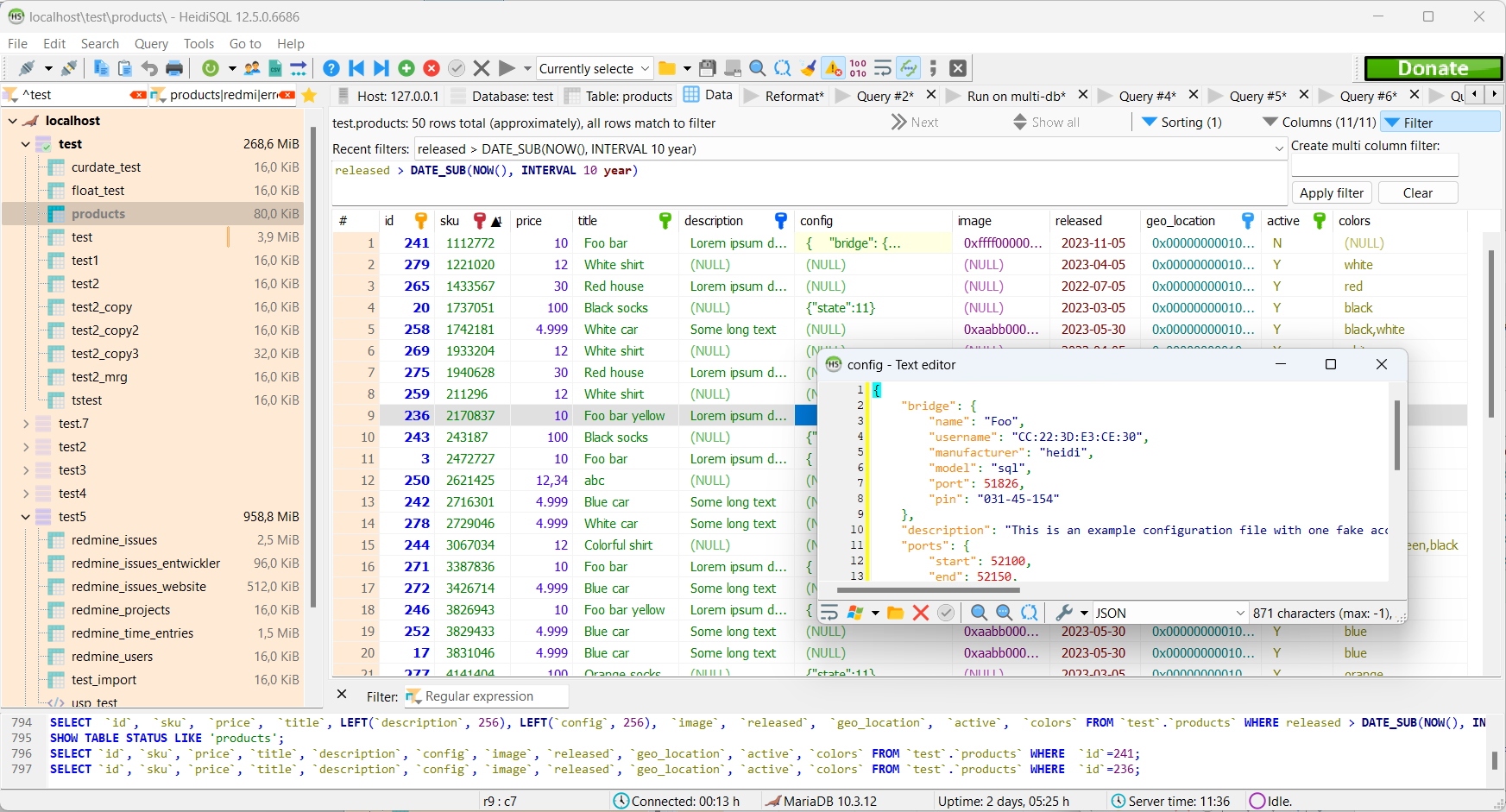
HeidiSQL is free software, and has the aim to be easy to learn. «Heidi» lets you see and edit data and structures from computers running one of the database systems MariaDB, MySQL, Microsoft SQL, PostgreSQL and SQLite. Invented in 2002 by Ansgar, HeidiSQL belongs to the most popular tools for MariaDB and MySQL worldwide.
News 
05 Nov HeidiSQL 12.6 with two new SQL formatters and static grid row id
08 May HeidiSQL 12.5 with Sequal integration
26 Feb HeidiSQL 12.4 supporting SSH tunnel on MS SQL, and many bugfixes
05 Dec HeidiSQL 12.3 with fixed auto-updater and support for MySQL on RDS
15 Nov HeidiSQL 12.2 with JSON and XML reformatters, and customizable highlighters
Features
- Free for everyone, OpenSource
- Connect to multiple servers in one window
- Supported database systems: MariaDB, MySQL, MS SQL, PostgreSQL, SQLite, Interbase and Firebird
- Connect to servers via commandline
- Connect via SSH tunnel, or pass SSL settings
- Create and edit tables, views, stored routines, triggers and scheduled events.
- Generate nice SQL-exports, compress these afterwards, or put them on the clipboard.
- Export from one server/database directly to another server/database
- Manage user-privileges
- Import text-files
- Export table rows as CSV, HTML, XML, SQL, LaTeX, Wiki Markup and PHP Array
- Browse and edit table-data using a comfortable grid
- Bulk edit tables (move to db, change engine, collation etc.)
- Batch-insert ascii or binary files into tables
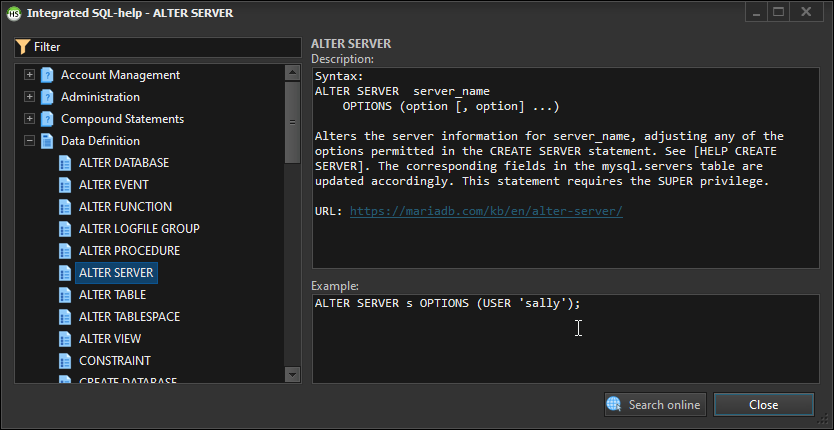
- Write queries with customizable syntax-highlighting and code-completion
- Pretty reformat disordered SQL
- Monitor and kill client-processes
- Find specific text in all tables of all databases of one server
- Optimize and repair tables in a batch manner
- Launch a parallel mysql.exe command line window using your current connection settings
- And much more
HeidiSQL users with enabled statistics feature work on these servers: