
IC- R6
Wideband Signal ‘Search Machine’
The power of listening to the world in the palm of your hand is possible with the compact R6! Whether you are listening to a shortwave station, the local airport approach or ground communications, or simply scanning the various frequency ranges, the R6 offers the most frequency coverage for under $200.
ZOOM
ZOOM
ZOOM
ZOOM
- Features
- Specifications
- Optional Accessories
- Support / Download
100kHz–1309.995MHz* Wideband Coverage
While the IC-R6 receives an ultra wideband frequency range, the radio provides superior sensitivity and receiver characteristics that is insusceptible to interference. Amateur stations, AM, FM, short wave broadcasts, TV audio* and a variety of utility communications can be caught and listened to.
* Frequency range depends on version. Analog TV audio only. Cannot decode digital TV audio.
100 Channels per Second High Speed Scan
The IC-R6 has 100 channels per second high speed scan capability*. This superior scanning power allows the utmost efficiency when searching over 1300MHz of spectrum!
* VFO mode scanning.
15 hours of Continuous Receive Capability*
The IC-R6 is energy-efficient, designed to provide many hours of listening enjoyment on a single charge. With the supplied rechargeable Ni-MH cells (1400mAh ×2), the IC-R6 provides up to 15 hours of continuous receive capability*.
* At 50mW output using external speaker.
1300 Memory Channels with 22 Memory Banks
With 1300 alphanumeric memory channels, 50 scan edges and 200 auto write memories, the IC-R6 gives you flexible scanning. Use the bank link scan feature to choose from and connect any of the 22 memory banks.
VSC (Voice Squelch Control)
The VSC opens the squelch only when a modulated signal is detected and ignores unmodulated beat noise. It is a handy feature for those listeners who are scanning for talk, news and music, but not data bursts or beacons.
Multiple Power Choices
The IC-R6 can be powered by rechargeable Ni-MH cells, or with alkaline batteries. Run the IC-R6 using the AC adapter, or opt for a cigarette lighter cable, CP-18A/E. When used the optional drop-in charger stand BC-194 with the AC adapter or cigarette lighter cable, you can easily start charging the Ni-MH cells, while eliminating the need to connect the power source to the DC power jack of the receiver.
Other Features
- Built-in audio low pass filter
- ±1.0ppm high frequency stability (at 25°C)
- Earphone cord antenna for AM aviation as well as FM broadcast
- Ferrite bar antenna for AM broadcast
- 150mW loud audio with internal speaker
- DTCS and CTCSS tone squelch and reverse tone squelch
- Priority watch function with priority beep function
- Optional CT-17, CI-V level converter for remote control
- PC programmable with optional CS-R6
- Receiver-to-receiver cloning (optional OPC-474 required)
- Auto power OFF (0.5–2 hours and end of busy signal)
- Compact, drip-resistant construction
- Duplex operation monitoring
- Automatic LCD backlight
- Dial speed acceleration
- Built-in RF attenuator
- Auto memory write scan stores the detected frequency, mode and tone into a specified memory
- Reversible up/down buttons and dial knob for volume, frequency, memory channel, scan direction and set mode settings
- Optional new tube earphone, SP-27
- Weather channel receive with weather alert*
* U.S.A. version only
General
| Frequency coverage (Differs according to version) |
0.100–1309.995MHz* |
|---|---|
| Mode | AM, FM, WFM |
| Frequency stability | ±1.0ppm (at 25°C) |
| Current drain | Rated audio output: 130mA typ. (Ext. SP, backlight off) |
| Battery pack or cells | 2×R6 (AA) size Ni-MH or alkaline cells |
| External power supply requirement | 4.5V DC rated (4.5 — 6.3V with BC- 196SA/SD, CP-18A/E) |
| Antenna impedance | 50Ω (SMA) |
| Number of memory channels | 1550 (1300 regular, 200 auto memory write and 50 scan edges) |
| Dimensions (W×H×D; Projections are not included) |
58×86×29.8 mm; 2.28×3.39×1.17 in |
| Weight (approx.) | 200g; 7.1oz |
Receiver
| Sensitivity (typical, except spurious points) |
FM (at 12dB SINAD): | 1.625MHz– 4.995MHz 0.32μV typ. 5.000MHz– 29.995MHz 0.25μV typ. 30.000MHz– 117.995MHz 0.18μV typ. 118.000MHz– 246.995MHz 0.18μV typ. 247.000MHz– 469.995MHz 0.18μV typ. 470.000MHz– 832.995MHz 0.32μV typ. 833.000MHz–1029.995MHz 0.28μV typ. 1030.000MHz–1309.995MHz 0.35μV typ. |
|---|---|---|
| WFM (at 12dB SINAD) | 76.000MHz– 108.000MHz 1.1μV typ. 175.000MHz– 221.995MHz 1.1μV typ. 470.000MHz– 770.000MHz 1.8μV typ. |
|
| AM (at 10dB S/N): | 0.495MHz– 4.995MHz 1.3μV typ. 5.000MHz– 29.995MHz 0.89μV typ. 118.000MHz– 136.000MHz 0.63μV typ. 222.000MHz– 246.995MHz 0.63μV typ. 247.000MHz– 329.995MHz 0.79μV typ. |
|
| Selectivity | AM, FM: | More than 12kHz/–9dB, Less than 30kHz/–60dB |
| WFM | More than 150kHz/–6dB | |
| AF power (at 10% distortion) | Internal speaker (16Ω load) More than 150mW External speaker (8Ω load) 80mW typ. |
|
| External speaker connector | 3-conductor 3.5 (d) mm ( 1 ⁄8″)/8Ω | |
* Cellular bands are blocked in the USA version.
Applicable U.S. Military Specifications
Icom makes rugged products that have been tested to and passed the following MIL-STD requirements and strict environmental standards.
| Standard | MIL-810 G | |
|---|---|---|
| Method | Procedure | |
| Low Pressure | 500.4 | I,II |
| High Temperature | 501.4 | I,II |
| Low Temperature | 502.4 | I,II |
| Temperature Shock | 503.4 | I |
| Solar Radiation | 505.4 | I |
| Humidity | 507.4 | — |
| Vibration | 514.5 | I |
| Shock | 516.5 | I,IV |
Also meets equivalent MIL-STD-810-C, -D -E and -F.
Ingress Protection Standard
| Water | IPX2 (Drip resistant) |
|---|
All stated specifications are subject to change without notice or obligation.
Supplied Accessories
- Ni-MH cells*
- AC adapter, BC-196SA/BC-153SE*
- Antenna
- Belt clip
- Handstrap
* Not supplied depending on version
IC R6 version?
I just got an IC R6 (unblocked/Government) model. It came from Taiwan and I am a newbie so I have a few questions. First of all what are the real benefits of having a non-USA model? I understand that some freq are not blocked but what will that allow me to hear? How can I tell if my version is in fact the unlocked version?
I bought this after having fun listening to a scanner app on my iphone. This model seemed to be nice an compact so when I saw it for sale on ebay with the claim that it was unblocked I ordered. I live in down town Chicago so any help would be much appreciated.
detroit780
Silent Key
Database Admin
Joined Dec 19, 2002 Messages 589 Location Michigan
Unblocked means it will receive cellular phone frequencies. Back when analog cell phones were in use that meant you could listen to them. Now that analog service has stopped it means nothing. You can tell if you program in 870.00 MHz and it takes it.
Look like Chicago is switching to digital so there will things you won’t be able to do with that radio at some point.
Look over this page and look for P25 and once they use those frequencies you will not hear them.
I just got an IC R6 (unblocked/Government) model. It came from Taiwan and I am a newbie so I have a few questions. First of all what are the real benefits of having a non-USA model? I understand that some freq are not blocked but what will that allow me to hear? How can I tell if my version is in fact the unlocked version?
I bought this after having fun listening to a scanner app on my iphone. This model seemed to be nice an compact so when I saw it for sale on ebay with the claim that it was unblocked I ordered. I live in down town Chicago so any help would be much appreciated.
Need information on ICOM IC-R6 frequency gaps.
There are two official distributors selling ICOM products in India, but neither of them don’t have this ICOM IC-R6.
They are sold on Ebay, most of the sellers are from Japan, some of them have unblocked in the product description and title, researching what this unblocked meant on the net gave me information that it referred to frequencies used by old cell phones.
ICOM and Ebay sellers say the frequency range covered by IC-R6 is 0.1MHz to ~1.3GHz, but according to information from ICOM, it doesn’t continuously cover that frequency range, there are gaps in between.
Are there any gaps in frequency coverage of ICOM IC-R6 or can I tune any frequency between 0.1MHz to ~1.3GHz? If there are gaps, is there anyway I can circumvent them by hardware or software mode so that I can tune any frequency between that range?
The SWLing Post
Shortwave listening and everything radio including reviews, broadcasting, ham radio, field operation, DXing, maker kits, travel, emergency gear, events, and more
An SWL’s review of the Icom IC-R6 Sport 16 wideband handheld receiver
The following review originally appeared in the SEptember 2016 issue of The Spectrum Monitor magazine.
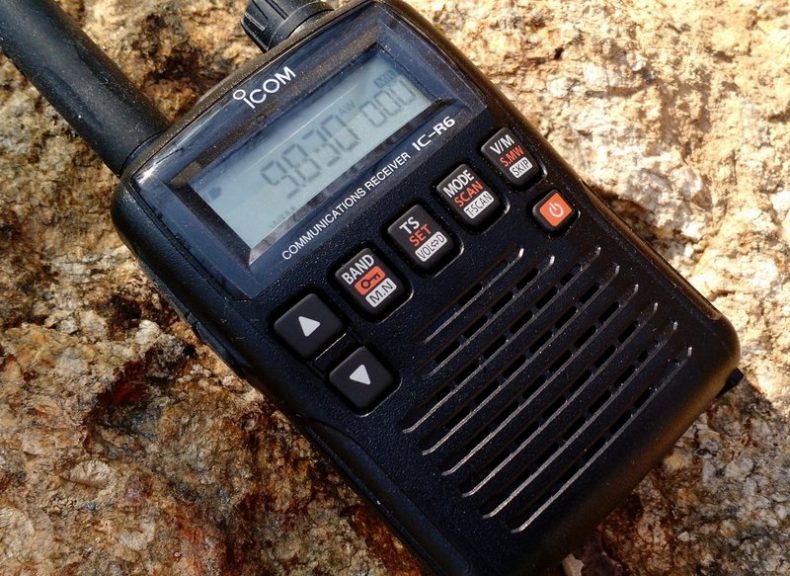
Over the past year, I’ve received a number of inquiries from readers who are considering purchasing a handheld wideband receiver. This is a market I’ve never truly explored because, to be honest, I’m partial to the HF part of the spectrum, and wideband receivers have always seemed more akin scanners than to shortwave receivers.
But lately, readers have specifically asked about the Icom IC-R6, a compact handheld receiver that covers from 100 kHz to 1309.995 MHz. What makes the IC-R6 appealing is that––at just $175 US––it is one of the least expensive wideband handhelds/scanners on the market that not only covers the shortwave bands, but also the AM broadcast, Longwave, FM broadcast, & NOAA weather frequencies.
Over the years I’ve read numerous reviews of the IC-R6 and other wideband receivers. Reviewers of this handheld receivers typically gloss over shortwave and mediumwave reception, and for good reason––it’s generally known that you just can’t have the best of both worlds in the sub-$300 price range. This makes sense, as there are invariably performance compromises when you pack wideband reception into such a tiny package: manufacturers usually put a performance emphasis on the VHF/UHF bands rather than on HF or mediumwave.
Still, I was curious enough about the IC-R6 to want to put it through its paces on shortwave and mediumwave, so I contacted Icom, who generously sent me an IC-R6 on extended loan for the purpose of this review
Usability/Ergonomics
Here I need to throw out a disclaimer: I’m not a fan of handheld radio (Handy Talky) ergonomics.
The IC-R6, like most other tiny handhelds, has a spartan array of buttons, all of which have multiple functions. Like its compact competitors, it also lacks a direct entry keypad-––after all, there’s simply no room for a keypad, and if there was one, it would obviously be too small to use.
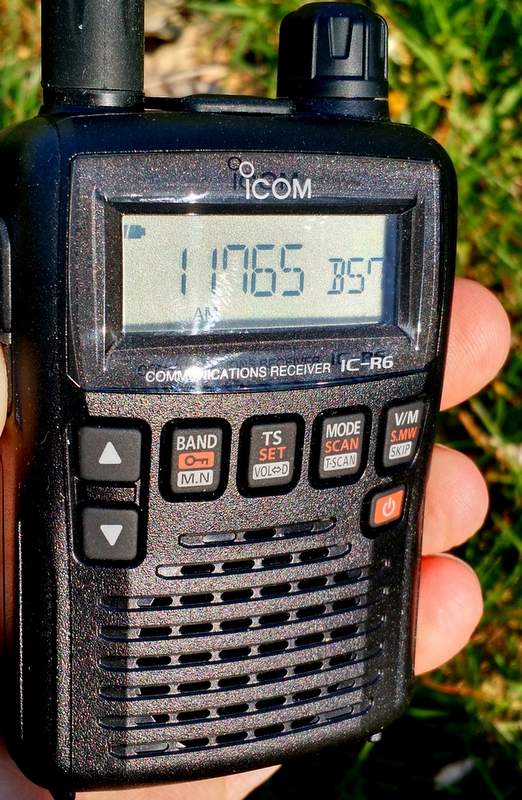
That being said, however, I must say that Icom has done a surprisingly good job of making the IC-R6 usable in the field.
If, like me, you’re the type of person who typically ignores the owner’s manual when you first receive a new radio, the IC-R6 may prove frustrating. Fortunately, the Icom user manual is superb, and well worth the read. It’s very well written, and takes you through each function step by step. The 80-page manual is entirely in English (the US version, at least) and even has a cut-out pocket guide in the end. Brilliant!
Once I spent a few minutes reading through the IC-R6 manual’s outline of its basic functions, I found most operations are simple and relatively easy to remember.
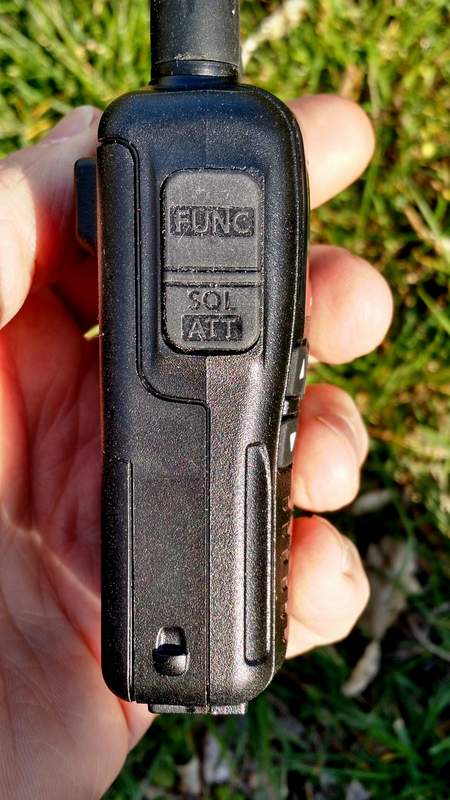
What makes each operation handy is that the Function key––which helps toggle the four multi-function buttons––is located where the PTT (push to talk) button would be on an amateur handheld transceiver. It’s actually a great location for the button because it allows one hand to hold the radio and push the function button, permitting the other hand to push a front panel button. Though I initially felt I was keying up to “transmit” on an HT, it soon became apparent that this is a very logical key placement.
Tuning
Tuning with the IC-R6 is relatively easy and straightforward.
Simply select a band with the BAND button. Next, adjust the volume with the UP/DOWN arrow buttons, and the squelch (if needed) by holding the squelch button and turning the tuning knob. Then you may use the tuning knob to tune up and down the band.
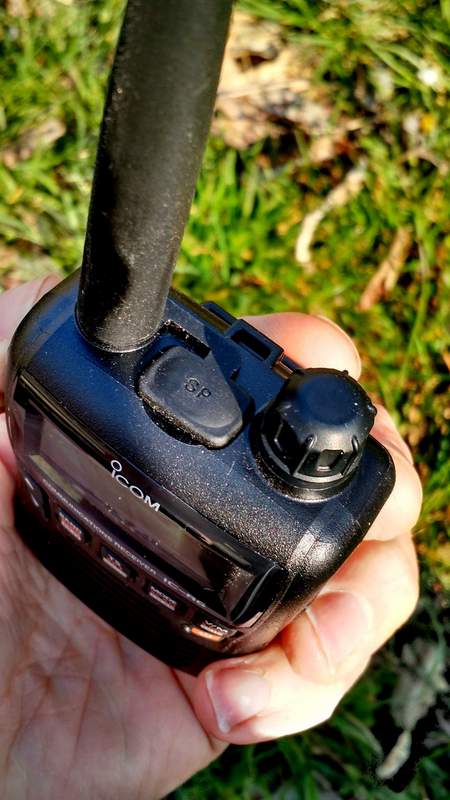
If you want to quickly skip to another part of the bands, hold down the function key while turning the tuning knob, and the R6 will tune in 1 MHz steps. I’ve found that this helps to move across the spectrum quite quickly and compensates for the lack of a direct entry keypad.
You can also easily change the tuning steps by pressing the TS button and using the tuning knob to cycle through selections (a total of fourteen possible step selections are available between 5 kHz and 100 kHz).
Over the course of a few months of using the IC-R6, I’ve learned a couple of methods to adapt to its lack of a direct-frequency entry keypad:
- using the 1 MHz tuning steps, as mentioned above
- loading the memory channels with band edges and your favorite frequencies (with 1300+ memory slots, there are many ways to manage your tuning)
Mediumwave/AM Broadcast Band Performance
Surprisingly, the IC-R6 has a tiny internal ferrite bar antenna for mediumwave/AM broadcast band reception. This is a welcome feature because there’s no need to remove the supplied rubber-duck antenna to connect an external antenna for broadcast listening.
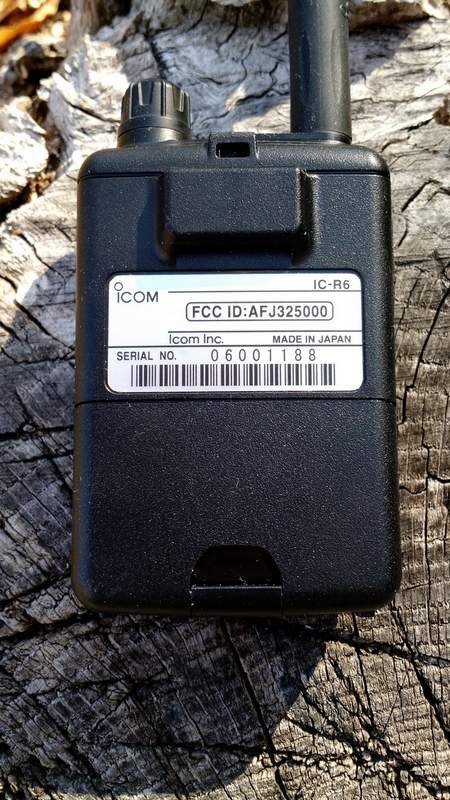
In terms of AM performance, I was happy with the IC-R6. I’m able to receive all of my local AM broadcasters with decent signal strength. I’m even able to reliably receive one 25-mile-distant daytime broadcaster; this truly surprised me, especially since the internal antenna must be minuscule.
Is the IC-R6 a good choice for a mediumwave DXer? Unfortunately, no. The AGC struggles with weak nighttime conditions, and frankly, with such a small ferrite bar antenna, nulling capabilities are minimal. If you’re a MW DXer, I would suggest carrying a small ultralight portable along with the IC-R6.
The IC-R6 also covers the longwave bands, but I would never use it even for casual longwave listening as the tuning steps are limited to 5 kHz increments.
Still: to have a respectable little AM receiver in a handheld scanner––? It’s great!
Shortwave Performance: Sensitivity
As I said, most reviewers gloss over shortwave reception on handhelds. I thought I’d put the IC-R6 through a more thorough test.
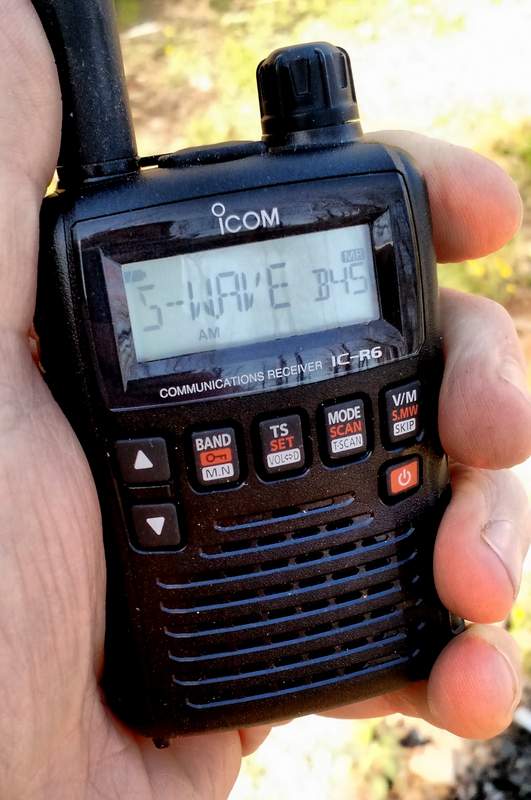
Note that, being fully aware of its limitations, I never used the stock rubber-duck antenna to test shortwave reception; instead, I used a long piece of thin co-ax attached to five- and ten-foot sections of wire. I tried longer and shorter pieces of wire, as well, but found that 5-10’ seemed to hit the sweet spot in terms of sensitivity.
To be honest, I had fairly low expectations of the IC-R6. I knew that the shortwave/HF bands are truly just an added feature on this rig, and realized that the R6 is more akin to a scanner rather than a shortwave radio. But in terms of sensitivity, I found I was rather impressed with the IC-R6.
The first morning I tested shortwave reception, propagation was, at best, mediocre. Yet I was able to copy WWV on 10 and 15 MHz without much trouble. I could receive all of the strong North American private broadcasters, like WTWW, WRMI and, of course, most frequencies occupied by Radio Havana Cuba and China Radio International––all of these are broadcasters that my shortwave portables can readily receive here in my region. Moreover, in the mornings, I’ve also been able to receive one of my staple shortwave broadcasters on the R6: Radio Australia. It’s nice to imagine that if I were camping, the little R6 could serve up my morning dose of news from Down Under.
All in all, I’m fairly pleased––and surprised!––by the IC-R6’s sensitivity.
Here’s an example of reception when tuned to WRMI, a strong station in my region. [Fun side note: I had no idea that, as I was recording, I would hear my buddies Mark Fahey and Jeff White on the air!]
Shortwave Performance: Selectivity
On the flip side, the IC-R6’s selectivity is unfortunately quite poor. I anticipated this.
Almost any of the strong signals I receive can be heard with equal fidelity when tuned off-frequency 5 kHz to either side of the carrier. You can pretty much forget discerning between two adjacent signals that are only spaced 5-10 kHz apart.
And yet while this would be a deal-breaker for me on a dedicated shortwave portable, this wouldn’t stop me from purchasing the IC-R6. Since we don’t have the crowded shortwave landscape we used to, selectivity is much less of an issue these days.
So, for some casual SWLing while say, backpacking? The IC-R6 does the trick!
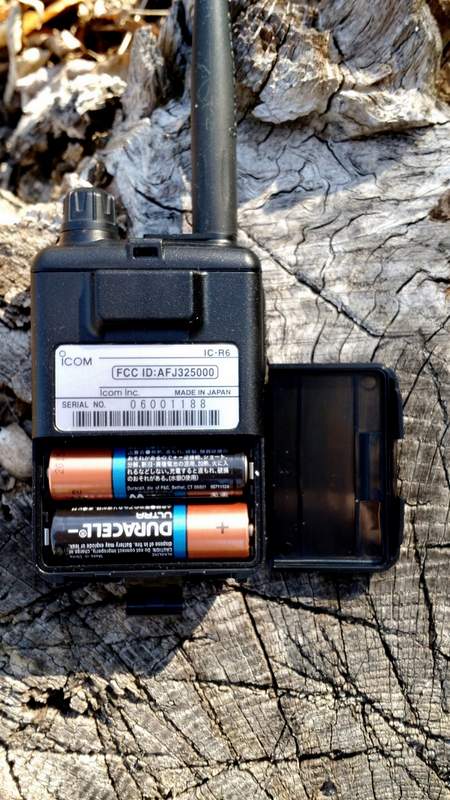
The IC-R6 runs efficiently on a set of two standard AA cells.
I should note here that I never connected the IC-R6 to any of my large outdoor antennas. First of all, I didn’t want to risk damaging the front end of the receiver (especially since this is a loaner), and secondly, I knew the IC-R6’s poor selectivity would only be exacerbated if gain were significantly increased. I also want to caution readers from doing this, as I suspect the IC-R6’s front end will seriously overload on a large antenna.
Auto-Memory Write Function
The IC-R6 has a very cool scanning function similar to the ETM auto-scan on Tecsun portables, known as the “auto-memory write function.” Here’s how it works:
- Simply select the band you wish to scan.
- Set squelch level.
- Select the scanning range. There are several options here:
- Full scan, which scans the entire frequency range of the IC-R6 (you’ll want to grab a cuppa coffee, as this will take a while)
- Selected Band Scan, which only scans all of the frequencies with the band’s edges
- Programmed Scan, which scans between two user-programmed frequencies
- Finally, press the SCAN/MODE button to start the scan and the V/M button to engage the auto-memory write function..
The radio will then scan according to your selected scan mode, pausing for an interval of about five seconds on each signal it finds, and writing it to one of the auto-memory write channel groups (000-999) for your convenient access.
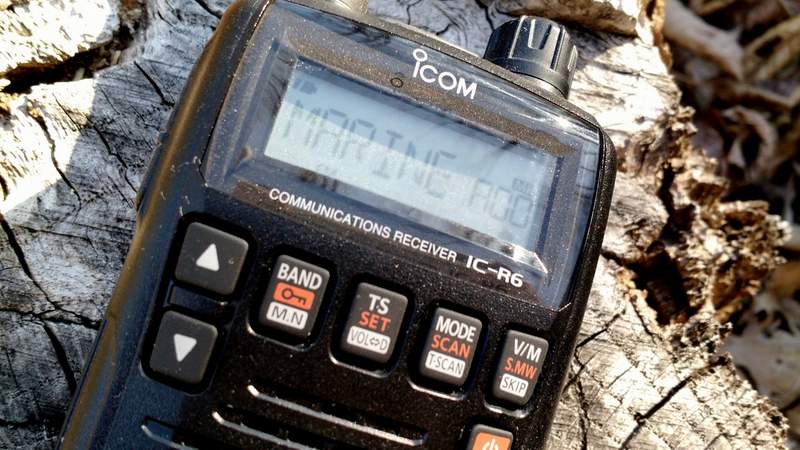
To recall the auto-memories once scanning ends, simply press the V/M button to enter the memory mode, select the band with the BAND button, then use the tuning knob to scan through the signal catches.
Once you’ve experimented with this process a couple of times, it becomes second nature, and is very handy.
One negative: since the IC-R6’s HF selectivity is lacking, you could possibly get double or triple auto-memory writes for really strong broadcasters.
Programming software and cable
I’ll be frank here: if you plan to purchase an IC-R6 and load it with memory channels, you’ll be well-served to purchase programming software and a cable as well. Entering frequencies by hand is tedious, especially if you want alpha-numeric labels.
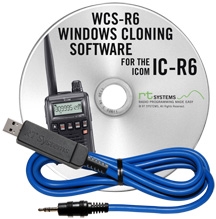
I’m very partial to the cables and software offered by RT Systems. Besides having the most user-friendly programming software I’ve personally used, RT Systems also offers consistency in terms of set-up and application user-interface across their whole product line. For example, I own a Yaesu VX-3R which I’ve programmed with the RT Systems software; when I want to import all of my VX-3R frequencies into the IC-R6, it’s a simple process with the aid of RT Systems software.
RT Systems supports almost all programmable amateur radio transceivers and receivers on the market, which means that it makes for a great cross-manufacturer link between all of your gear.
Summary
Invariably, all radios have strengths and weaknesses; here’s a list of my notes from the moment I put the Icom IC-R6 on the air:
Pros:
- Very compact, handy size with respectable ergonomics
- Scanning
- Frequency/Memory scanning very fast
- Quickly scans AM/SW/FM/VHF/UHF bands
Cons:
- User interface
- Very difficult programming without external software/programming cable
- No keypad for frequency direct entry
Conclusion
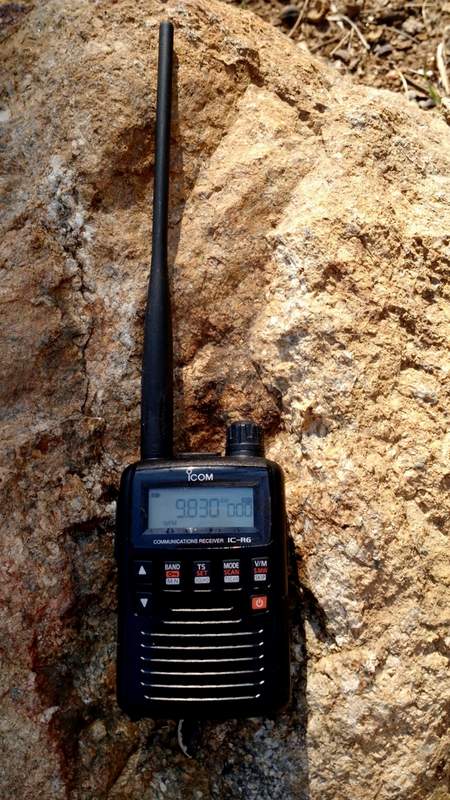
The Icom IC-R6 is one little powerhouse receiver with many, many listening possibilities. With this one radio, you can listen to everything from local VHF/UHF repeaters, to local law enforcement and emergency services, aviation frequencies, NOAA weather radio, the FM broadcast band, AM broadcast band––and, yes, even shortwave.
If you’re looking for an all-in-one receiver to take on hikes, to put in your 72-hour emergency (BOB) bag, to carry in your briefcase, or even to simply carry in your pocket, the IC-R6 is a great choice. Remember, if you do invest in one, you should also invest in programming cable and software to help you along.
This review focuses on broadcast listening with the IC-R6. While I didn’t cover traditional scanner functionality, I should note that the IC-R6 is not a trunking scanner. If you live in one of the many cities, counties or even even entire states/provinces in the U.S. and Canada that employ “trunking” radio systems for public safety communications, you’ll need a different receiver for this purpose.
Additionally, if you’re looking for a top-notch shortwave portable, you’ll want to buy a dedicated shortwave receiver, instead: they’re built with only HF reception in mind and will cost you much less, for better overall performance and more modes (SSB).
Of course, the IC-R6 is so modestly-sized that you could always carry it plus an inexpensive compact shortwave receiver (like the Tecsun PL-310ET, or the PL-380), and then…well, you’ll suddenly have the best of both worlds!