
Карты памяти для GoPro Hero: какие подходят и какие ставить?
Не важно, какую из моделей GoPro Hero вы купили (или только планируете купить), будь то GoPro Hero 7, Hero 6, Hero 5, Hero 4, Hero 3 и какая-то другая, вопрос выбора хорошей карты памяти (а то и нескольких) для такой экшн-камеры рано или поздно возникнет.
Понятное дело, что с учетом характеристик и специфики использования GoPro Hero решать эту проблемку надо сразу же и грамотно. Просто, чтобы потом камеру можно было юзать на все 100, а не как получится.
Так что, об этом, о картах, то бишь, и расскажем немного.
Итак, по порядку:
какие карты памяти можно ставить на GoPro Hero
То, что это должны быть карточки формата microSD (SD — только у старых моделей), вы наверняка уже знаете. Относительно же того, какие именно, то на данный момент картина примерно следующая:
- лучше выбирать SD-карты профильных и хорошо известных брендов;
- старые камеры GoPro серии Hero поддерживают карты памяти SD объемом до 32 GB (модели HD Hero Original и HD Hero 960 поддерживают карты памяти SD Class 4);
- все новые GoPro Hero (перечислены выше) работают с картами памяти microSD класса не ниже 10 (на них, как правило, так и пишут — Class 10);
- модели Hero 3 (Edition, Silver и White Edition), Hero 3+, Hero+ и Hero+LCD поддерживают карты памяти объемом до 64 GB;
- модели Hero 5, Hero 4 и Hero Session поддерживают карты памяти объемом до 128 GB;
- модель GoPro Hero 6 поддерживает карты памяти объемом до 128 GB;
- модель GoPro Hero 7 поддерживает карты памяти объемом до 256 GB.
Какие карты памяти подходят для камеры GoPro Hero 7
Данная модель на момент публикации этого поста была самой новой в серии, и потому ассортимент совместимых карт памяти для неё, как и полагается, самый широкий.
Потому, если уж Hero 7 у вас уже есть, то и карточку для неё можно брать побольше, а если планируете снимать много и часто, то лучше брать как минимум две таких или три. Тем более, что цены на них меняются, и при желании всегда можно вычислить и купить парочку подходящих моделей по какой-нибудь акции.
А что касается моделей, то спрашиваем в отечественной рознице следующие (или новее):
| Название карты памяти | Модель | Совместимость с GoPro Hero 7 Black, Silver и White |
| SanDisk Extreme UHS-I 32GB | SDSDQXL-032G-A46A SDSQXNE-032G-AN6MA |
Да |
| SanDisk Extreme UHS-I 64GB | SDSDQXL-064G-A46A SDSQXNE-064G-AN6MA |
Да |
| SanDisk Pixtor Advanced 32GB | SDSDQX-032G-AB46A SDSQXSG-032G-ABCCA |
Да |
| SanDisk Pixtor Advanced 64GB | SDSDQX-064G-AB46A SDSQXSG-064G-ABCCA |
Да |
| SanDisk Extreme (UHS 3 / V3) A1 | SDSQXAF-032G-GN6MA | Да |
| SanDisk Extreme PLUS UHS-I 32GB | SDSQXWG-032G-ANCMA | Да |
| SanDisk Extreme PLUS UHS-I 64GB | SDSQXWG-064G-ANCMA | Да |
| SanDisk ExtremePro (UHS 3 / V30) A1 | SDSQXCG-032G-GN6MA | Да |
| SanDisk Extreme PLUS microSDHC UHS-I (UHS3 / V30 / A1) | SDSQXBG-032G-GN6MA | Да |
| SanDisk Extreme PRO microSDXC UHS-II (UHS3 / V30) | SDSQXPJ-064G-ANCM3 | Да |
| Lexar 1000x microSDXC UHS-3 128GB | LSDMI128CBNL1000R | Да |
| Samsung Pro UHS-I 16GB | MB-MG16DA/AM | Да |
| Samsung Pro Endurance UHS-I 32GB | MB-MJ32GA/AM | Нет (Black) |
| Samsung Pro Endurance UHS-I 64GB | MB-MJ64GA/AM | Нет (Black) |
| Samsung Pro Endurance UHS-I 128GB | MB-MJ128GA/AM | Нет (Black) |
| Samsung EVO Select 128GB | MB-ME128GA/AM | Да |
| Samsung EVO Select 256GB | MB-ME256GA/AM | Да |
| Samsung EVO Plus 128GB | MB-MC128GA/AM | Да |
| Samsung EVO Plus 256GB | MB-MC256GA/AM | Да |
| Sony SR-UZA 64GB series | SR-64UZA/T | Да |
| Sony SR-UZA 128GB series | SR-128UZA/T | Да |
Какие карты памяти подходят для камеры GoPro Hero 6
Для этой модели сам производитель рекомендует карты памяти SanDisk Extreme, Extreme Plus, Extreme Pro UHS Video Speed Class 30 (V30) объемом от 32GB.
Карты стандарта UHS Speed Class 3 (U3) или карты с маркировкой V30 (скорость записи не менее 30 мегабайт в секунду), напомним, оптимизированы для записи видео в 4K и 360-градусного видео.
Плюс, желательны также:
- скорость чтения//записи данных не менее 100 MB/с // 90 MB/с;
- защита от перегрева, влаги, ударов и рентгеновского излучения.
От себя также добавим, что если в планах — съемка в 4K, то для Hero 6 надо сразу брать карту объемом не менее 64GB (а лучше — 128GB) с защитой от высокой температуры, поскольку при записи видео в 4K и камера, и карта в ней будут перегреваться.
Какие карты памяти подходят для GoPro Hero 5 и предыдущих моделей Hero
| Модель карты памяти | Совместимость с Hero 4, Hero 5 и Hero SESSION |
Совместимость с Hero 3+, Hero и Hero 3 Black Edition |
Совместимость с Hero |
| SanDisk Extreme PLUS UHS-I 16GB (SDSDQX-016G-U46A — 16GB) | Да | Да | Да |
| SanDisk Extreme PLUS UHS-I 32GB (SDSDQX-032G-A46A — 32GB) | Да | Да | Да |
| SanDisk Extreme PLUS UHS-I для экшн-камер 32GB (SDSDQX-032G-AA4A — 32GB) |
Да | Да | Да |
| SanDisk Extreme UHS-I 32GB (SDSDQXL-032G-A46A — 32GB) | Да | Да | Да |
| Lexar 633x UHS-I 32GB (LSDMI32GBBNL633R) | Да | Да | Да |
| Samsung Pro UHS-I 16GB (MB-MG16DA/AM) | Да | Да | Да |
| Samsung Pro UHS-I 32GB (MB-MG32DA/AM) | Да | Да | Да |
| Kingston UHS-I 32GB (SDCA10/32GB) | Да | Да | Да |
| SanDisk Extreme PLUS UHS-I 64GB (SDSDQX-064G-U46A — 64GB) | Да | Да | Нет |
| Lexar 1000x microSDXC UHS-3 128GB (LSDMI128CBNL1000R) | Да | Нет | Нет |
| Samsung Pro Plus UHS-I from 128 GB (MB-MD128DA/AM) | Да | Нет | Нет |
| SanDisk Extreme UHS-I 64GB (SDSDQXL-064G-A46A — 64GB) | Да | Да | Нет |
| Lexar 633x UHS-I 64GB (LSDMI64GBBNL633R) | Да | Да | Нет |
GoPro HERO4 SD Card Recommendations
Here are some practical recommendations for SD cards for the GoPro HERO4 Black and Silver. Not every microSD card you can find will work–you’ll need a card that’s fast enough to keep up with the high-bitrate recording that these cameras are capable of.

Text & Photos By David Coleman
Last Revised & Updated: February 9, 2023
Filed Under: Memory Cards
I MAY get commissions for purchases made through links in this post.
Best SD Card for GoPro HERO4 Black & HERO4 Silver – Quick Recommendations
If you just want to cut to the chase, here are some quick recommendations for the best SD cards to use in a GoPro HERO4 Black or HERO4 Silver. These are fast and reliable, cost-effective, and readily available. Any of these makes a good choice.
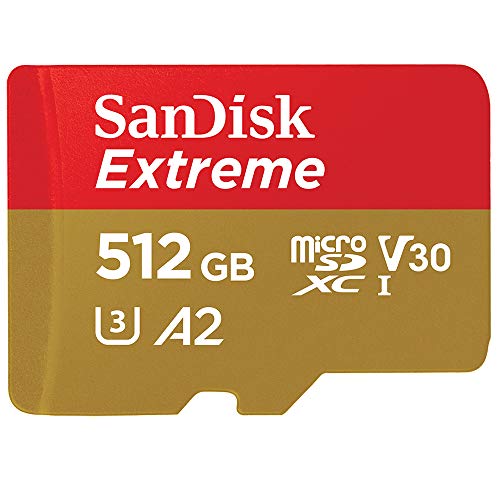
- Type: microSDXC / microSDHC
- Video Speed Class: V30
- UHS-Speed Class: UHS-I
- Write speed of at least 30 MB/s
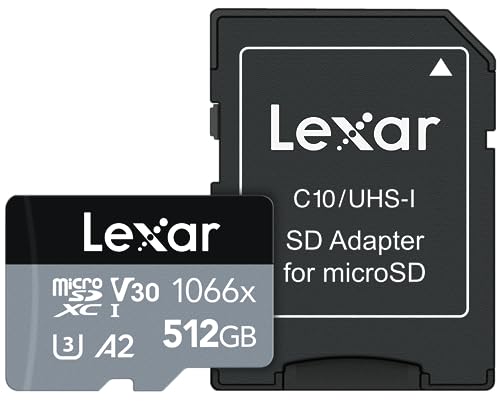
- Type: microSDXC / microSDHC
- Video Speed Class: V30
- UHS-Speed Class: UHS-I
- Write speed of at least 30 MB/s
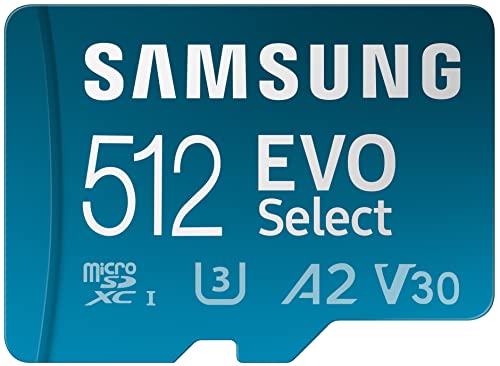
- Type: microSDXC / microSDHC
- Video Speed Class: V30
- UHS-Speed Class: UHS-I
- Write speed of at least 30 MB/s
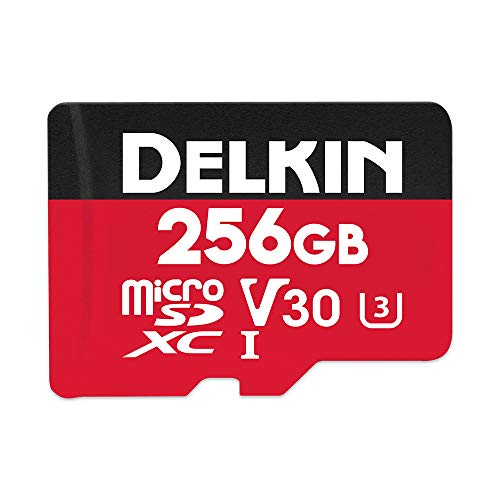
- Type: microSDXC / microSDHC
- Video Speed Class: V30
- UHS-Speed Class: UHS-I
- Write speed of at least 30 MB/s
- Type: microSDXC / microSDHC
- Video Speed Class: V30
- UHS-Speed Class: UHS-I
- Write speed of at least 30 MB/s
If you’d like more detailed recommendations or other brands and models, you can find them below.
GoPro HERO4 SD Card Requirements
If you’ve just picked up a GoPro HERO4 Silver or Black, you’re going to find out pretty quickly that GoPros don’t come with a memory card as standard. Some retailers put together bundles that include a memory card with the camera, but unless you buy one of those you’ll most likely have to pick up an SD card separately.
Sounds simple enough, right? But there’s a catch. Not every card will work well in the GoPro HERO4 Black and Silver editions.
When these cameras were originally released, there were relatively few memory cards that worked well. Since then, memory card manufacturers have been coming out with newer and faster cards. So it’s now quite easy to find a good SD card for them, and you don’t have to pay an arm and a leg for it. That still doesn’t mean you can just throw any old microSD card in the HERO4 Silver or Black, though.
The biggest issue is the speed of the card. And, more specifically, the write speed of the card. That’s how quickly the card can record the stream of data that’s being thrown at it as the camera films video. The GoPro HERO4 Black and Silver editions can both shoot 4K and high-framerate video. Those video modes use high bitrates of up to 60 megabits per second (In the Silver, it’s a maximum of 45 megabits per second). So to be able to use the full range of video modes on these cameras you’ll need a card that can keep up.
If you use a card that’s too slow, the most common thing you’ll run into is the video recording stopping unexpectedly. That’s usually because the card simply can’t handle the data that’s being thrown at it. If that happens, you can get some unexpected and unwanted behavior, such as the recording stopping unexpectedly, the camera overheating, or the camera shutting down.
So I’ve put together some practical recommendations on which SD cards work best in the HERO4 Black and Silver. I’m focusing here on cards that are fast enough for these cameras, readily available at major retailers, reliable, and cost-effective. I make a point to speed test as many models of microSD cards as I can get hold of, including all of the ones here. So I’ve had the chance to try these out myself in addition to consulting GoPro’s official recommendations.
Best SD Card for GoPro HERO4 Black & Silver – Detailed Recommendations
SanDisk Extreme V30 UHS-I microSD Card
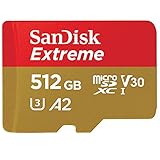
- Type: microSDXC / microSDHC
- Video Speed Class: V30
- UHS Speed Class: UHS-I
- Write speed of at least 30 MB/s
The SanDisk Extreme cards are fast, cost-effective, reliable, and widely available. They’re also safe bets for many cameras, including the latest GoPro Black editions. SanDisk Extreme cards are the cards that GoPro bundles with their cameras and sell on GoPro.com, and list in their official recommendations.
From my own speed tests, it is plenty fast enough for the high-bitrate video settings on the Black editions.
The latest version of the SanDisk Extreme comes in 32GB, 64GB, 128GB, 256GB, 400GB, 512GB, and even new 1TB versions. The most practical sizes for the more recent GoPro Black models are probably the 128GB-512GB sizes, but you can use small or larger cards if you like (I’ve found the 1TB version of this card to work well in GoPros.
As with most of their product names, SanDisk recycles them with newer, faster cards. So you can find «Extreme» cards that are actually several years old. It’s therefore worth checking the model number, although, in practice, even a number of the older versions of the Extreme cards will support the higher bitrates.
SanDisk uses a three-part model numbering system in the format SDSQXA1-256G-GN6MA. In this example, SDSQXA1 is the model number, the 256G refers to the amount of memory, and the last five characters are used by SanDisk’s marketing department for different parts of the world, but the cards are otherwise the same. So the first part is the crucial part if you’re looking to see which model the card is, and you don’t have to take much notice of the last five characters.
The basic version includes a microSD-to-SD adapter. You can also find it bundled with a USB microSD card reader.
You can find them at:
Lexar 1066x Silver V30 UHS-I microSD Card
- Type: microSDXC / microSDHC
- Video Speed Class: V30
- UHS Speed Class: UHS-I
- Write speed of at least 30 MB/s
A few years ago, Lexar changed hands, and there was some disruption to the supplies of their cards at retailers. But things seem to have stabilized now, and this solid, general workhorse card is again widely available.
Lexar has always put more emphasis on marketing the read speeds of their cards—in this case, 1066x—but several of their cards have write speeds fast enough for the HERO12, HERO11, HERO10, and HERO9 Black.
The 1066x card is rated for a write speed of up to 120MB/s (the 160MB/s you see in their marketing is the sequential read speed). It’s available in 64GB, 128GB, 256GB, and 512MB versions.
Samsung EVO Select V30 UHS-I microSD Card

- Type: microSDXC / microSDHC
- Video Speed Class: V30
- UHS Speed Class: UHS-I
- Write speed of at least 30 MB/s
Samsung makes several models of microSD cards, and more than one model will work well in the latest GoPro Black editions. But they have a somewhat confusing naming system that doesn’t always make clear what the difference between the models is. The Select is one of their better cards but is also very cost-effective. Like SanDisk, Samsung recycles the series names. This is the brand-new version of the EVO Select—it’s blue/teal—and is available in 64GB, 128GB, and 256GB sizes. Alternatively, the previous version (green, white, and gold) also works well.
It includes an SD adapter.
Delkin Select V30 UHS-I microSD Card
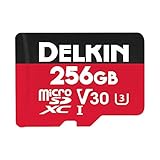
- Type: microSDXC / microSDHC
- Video Speed Class: V30
- UHS Speed Class: UHS-I
- Write speed of at least 30 MB/s
Delkin Devices have been making memory cards for a long time, and good ones at that. But it’s only recently that they simplified and streamlined their product lines to make it clearer what the differences are between cards. The Select line isn’t their fastest line of microsSD cards—that is the Power V90 line—but the Select series are rated for V30 and are a good combination of being fast enough for the HERO12/11/10/9 Black as well as cost-effective.
This card is rated for V30 and has a UHS-I interface. It’s available in sizes ranging from 16GB up to 512GB—again, the 128GB to 512GB sizes are probably the sweet spot for the HERO12/11/10/9 Black cameras. It comes with an SD adapter.
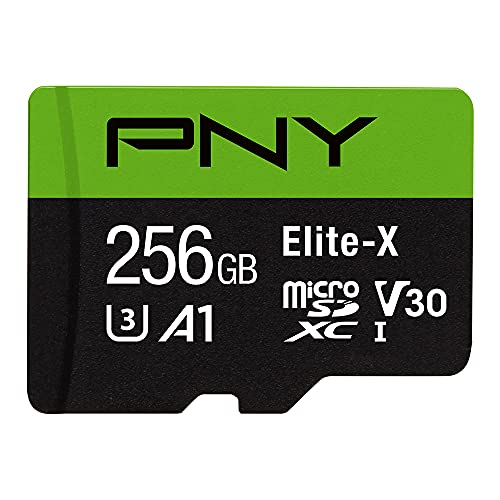
PNY Elite-X V30 UHS-I microSD Card
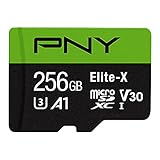
- Type: microSDXC / microSDHC
- Video Speed Class: V30
- UHS Speed Class: UHS-I
- Write speed of at least 30 MB/s
PNY is another memory card brand that isn’t as well known as some of the others, but in my experience, they make very good cards. They have a few different ranges, but the Elite-X strikes a good balance of being fast enough and good value.
They’re UHS-I cards and carry a V30 rating. The 32GB card is a tad slower than the larger capacities, but most users will probably prefer sizes more on the 128GB to 256GB end of the range for the latest GoPro Black editions.
About these Recommendations
This is not designed to be a comprehensive list of every card that works with the GoPro HERO4 Black and Silver models, and there are plenty of others that will work well that aren’t listed here. There are also other fast cards that simply aren’t easy to find or aren’t cost-effective when you do. I’m most interested in ones that are readily available and reasonably priced. What I’m trying to do is present some options so you can choose a card and be confident that it’s compatible.
This list is a combination of GoPro’s official recommendations and my own real-world testing in the cameras, not on card manufacturers’ speed claims or the microSD benchmark testing I conduct separately (although it won’t come as a surprise that the ones that top my list of fastest microSD cards work well in these cameras).
What Size, Format, and Rating of SD Card Works Best in the HERO4 Black & Silver?
Both the Silver and Black models are fully compatible with both the microSDXC and microSDHC specifications (more on that below). This isn’t a performance rating. It refers to the formatting system used on the card. and I’ve been using 32GB, 64GB, 128GB, and 200GB cards in them. There are also some 256GB cards available now, but I haven’t yet tested any of those.
You want either UHS-I or UHS-II host specifications. This is marked with either a small I or II on the card. The cameras use the UHS-I host specification, so you won’t get added benefits if you put a UHS-II card in them, but it will still work but will roll back to UHS-I.
For the speed rating, the safest bet is to stick with one that’s rated with the new V30 category or U3, although there are also U1 cards that work just fine.
Why You Need an SD Card with a Fast Sequential Write Speed in the GoPro HERO4 Black and HERO4 Silver
So why do you need a fast memory card in these models? Both of these cameras can create ultra-high-definition video. The flagship Black edition is capable of up to 4K at 30fps and 2.7K at 60fps and 1080p at 120fps (you can find more details here). Even Silver edition can capture 4K video at 15fps, 1080p footage at 60fps, and 720p footage at 120fps. That’s going to make for some incredible video footage when you get to filming. But if you try to use a memory card that’s not fast enough, you’re going to run into trouble.
If you find that your video is stopping prematurely or that the camera is freezing while you’re trying to record video, the first thing to check is that your memory card is fast enough. (If it’s just breaking up the video file into smaller segments but keeps recording, that’s normal. Here’s an explanation of why.) You won’t see any error message that tells you what the problem is–it tends to just stop recording and lock up.
The GoPros’ high-resolution video modes require a lot of data to get written very quickly to the memory card. And not all memory cards are equal. You can’t just put any Class 10 microSD card in the new GoPros and expect it to work flawlessly. If the card is too slow, you’ll find that the camera stops recording as the memory card just can’t keep up. The newer cards use a newer transfer technology known as UHS-I that allows for speeds that far exceed the older Class 10 technology.
Aside from reliability–which is a big issue in itself–memory cards vary widely in their speed. The key is the write speed–or, technically, sustained write speed–which is how fast the camera can write to the memory card. All of the cards that GoPro recommends with the new high-resolution video modes on the new GoPro HERO4 Black and Silver editions are rated for writes speeds of 40MB/s or faster.
Card manufacturers don’t make it easy in other ways. They often advertise “transfer speed” or “read speed.” Neither of those is the same thing as “write speed.” When memory card manufacturers put the speed on their advertising, it’s usually the read speed (ie. the maximum speed you can get data off the card). It’s often a higher number and sounds more impressive. But for our purposes, we need to know who quickly we can get data onto the card–that is, write speed.
The speed at which data can be written also depends also on the file sizes of the data you’re writing. The speed ratings provided by manufacturers are sequential write speed. They don’t typically divulge for a different kind of writing: large-block random data. That figure is typically significantly slower than the sequential write speed, and it explains why, when the GoPro HERO4 Black maxes out at 60Mb/s (7.5MB/s) and the Silver at 45Mb/s (5.625MB/s), you need a card with a speed rating that’s much higher than 7.5MB/s or 5.6MB/s (ie. they’re measuring two different kinds of data writing).
Video Bitrates of the HERO4 Black vs Silver
The Silver edition doesn’t have the top-end video modes of the Black; its maximum data stream is 45 Mbps. So technically it can handle a memory card that’s a little slower than the requirements of the Black.
Below are the write date speeds for all the video modes available on the GoPro HERO4 Black and Silver editions. The Black’s top data rate is 60 Mbps, whereas the Silver’s is 45 Mbps. So any of the video modes that record at 60 Mbps are only available with the Black. 1
Note that these data rates are in megabits per second (Mbps or Mb/s), whereas memory card speed ratings are typically measured in megabytes per second (MBps or MB/s). There are 8 megabits to one megabyte. But it’s not as simple as doing the conversion and then comparing that to the card speed because the card speeds are maximum speeds for writing small files of sequential data. Writing large files of random data is usually much slower.
But this chart will give you ideas on which video modes to try if your memory card is struggling to keep up.
| Mode | FPS | Bitrate (Megabits/s) — Protune / + Protune | Aspect Ratio | Resolution | HERO4 Black | HERO4 Silver |
|---|---|---|---|---|---|---|
| 4K | 30 | 60/60 | 16:9 | 3840×2160 | ✓ | |
| 25 | 60/60 | 16:9 | 3840×2160 | ✓ | ||
| 24 | 60/60 | 16:9 | 3840×2160 | ✓ | ||
| 15 | 45/45 | 16:9 | 3840×2160 | ✓ | ||
| 12.5 | 45/45 | 16:9 | 3840×2160 | ✓ | ||
| 2.7K | 60 | 60/60 | 16:9 | 2704×1520 | ✓ | |
| 50 | 60/60 | 16:9 | 2704×1520 | ✓ | ||
| 48 | 60/60 | 16:9 | 2704×1520 | ✓ | ||
| 30 | 45/45 | 16:9 | 2704×1520 | ✓ | ✓ | |
| 25 | 45/45 | 16:9 | 2704×1520 | ✓ | ✓ | |
| 24 | 45/45 | 16:9 | 2704×1520 | ✓ | ✓ | |
| 2.7K SuperView | 30 | 45/60 | 16:9 | 2704×1520 | ✓ | |
| 25 | 45/60 | 16:9 | 2704×1520 | ✓ | ||
| 2.7K 4:3 | 30 | 45/60 | 4:3 | 2704×2028 | ✓ | |
| 25 | 45/60 | 4:3 | 2704×2028 | ✓ | ||
| 1440p | 80 | 60/60 | 4:3 | 1920×1440 | ✓ | |
| 60 | 45/60 | 4:3 | 1920×1440 | ✓ | ||
| 50 | 45/60 | 4:3 | 1920×1440 | ✓ | ||
| 48 | 30/45 | 4:3 | 1920×1440 | ✓ | ✓ | |
| 30 | 30/45 | 4:3 | 1920×1440 | ✓ | ✓ | |
| 25 | 30/45 | 4:3 | 1920×1440 | ✓ | ✓ | |
| 24 | 30/45 | 4:3 | 1920×1440 | ✓ | ✓ | |
| 1080p | 120 | 60/60 | 16:9 | 1920×1080 | ✓ | |
| 90 | 60/60 | 16:9 | 1920×1080 | ✓ | ||
| 60 | 30/45 | 16:9 | 1920×1080 | ✓ | ✓ | |
| 50 | 30/45 | 16:9 | 1920×1080 | ✓ | ✓ | |
| 48 | 30/45 | 16:9 | 1920×1080 | ✓ | ✓ | |
| 30 | 30/45 | 16:9 | 1920×1080 | ✓ | ✓ | |
| 25 | 30/45 | 16:9 | 1920×1080 | ✓ | ✓ | |
| 24 | 30/45 | 16:9 | 1920×1080 | ✓ | ✓ | |
| 1080p SuperView | 80 | 60/60 | 16:9 | 1920×1080 | ✓ | |
| 60 | 30/45 | 16:9 | 1920×1080 | ✓ | ✓ | |
| 50 | 30/45 | 16:9 | 1920×1080 | ✓ | ✓ | |
| 48 | 30/45 | 16:9 | 1920×1080 | ✓ | ✓ | |
| 30 | 30/45 | 16:9 | 1920×1080 | ✓ | ✓ | |
| 25 | 30/45 | 16:9 | 1920×1080 | ✓ | ✓ | |
| 24 | 30/45 | 16:9 | 1920×1080 | ✓ | ✓ | |
| 960p | 120 | 30/45 | 4:3 | 1280×960 | ✓ | ✓ |
| 100 | 30/45 | 4:3 | 1280×960 | ✓ | ||
| 60 | 30/45 | 4:3 | 1280×960 | ✓ | ✓ | |
| 50 | 30/45 | 4:3 | 1280×960 | ✓ | ✓ | |
| 720p | 240 | 60/60 | 16:9 | 1280×720 | ✓ | |
| 120 | 30/45 | 16:9 | 1280×720 | ✓ | ✓ | |
| 60 | 30/45 | 16:9 | 1280×720 | ✓ | ✓ | |
| 50 | 30/45 | 16:9 | 1280×720 | ✓ | ✓ | |
| 30 | 30/45 | 16:9 | 1280×720 | ✓ | ✓ | |
| 25 | 30/45 | 16:9 | 1280×720 | ✓ | ✓ | |
| 720p SuperView | 120 | 30/45 | 16:9 | 1280×720 | ✓ | ✓ |
| 60 | 30/45 | 16:9 | 1280×720 | ✓ | ✓ | |
| 50 | 30/45 | 16:9 | 1280×720 | ✓ | ✓ | |
| WVGA | 240 | 30/30 | 16:9 | 848×480 | ✓ | ✓ |
Common Questions About the SD Cards for the HERO4 Black and Silver
Here are some quick answers to some of the common questions I get about the SD card for these models.
Is it Normal for the Card and Camera to Get Hot?
All of the cards I’ve tried get hot, along with the rest of the camera, when recording the top-end video modes that write at 60 Mbps on the Black (making anti-fog inserts a good idea in cold, wet, or humid shooting conditions).
Should I Get the SDHC or SDXC Versions?
SDHC and SDXC aren’t really direct versions. SDHC applies to cards that are between 4GB and 32GB. They use a filesystem known as FAT32. SDXC applies to cards 64GB and larger; they use a filesystem known as exFAT. You won’t find a 64GB card that’s SDHC or a 32GB card that’s SDXC. Both the HERO4 Black and Silver cameras work with both SDHC and SDXC cards.
What Size Memory Card is Best for a GoPro HERO4?
The short version is that any size will work. In terms of convenience, 32GB or larger make the most sense so that you’re not constantly filling it up. In terms of a good mix of convenience, price, and availability, cards in the 64GB to 128GB range probably make the most sense right now.
Do 128GB and 256GB Cards Work in the GoPro HERO4 Black and Silver?
Yes. Or, more precisely, some do. So long as it meets the other speed requirements outlined on this page, it should work just fine. There are some cards, like those in SanDisk’s Ultra range, that don’t work as well.
But cards like the Lexar Professional 1000x 128GB SDXC card and I’ve not had any issues using ones in SanDisk’s Extreme, Extreme Plus, and Extreme Pro lines.
General Tips for Buying and Using microSD Cards
Here are some general tips about using SD cards in the HERO4 Silver and Black:
- If you’re going with SanDisk, I don’t recommend their “Ultra” or “Ultra Plus” range of cards for any of the recent GoPros. Despite being Class 10, many users have reported issues with the recording stopping prematurely (a problem I ran into myself). The faster cards in the Extreme range are not much more expensive and work much better.
- Test your memory card before using it on your once-in-a-lifetime footage. Memory cards are pretty reliable, but it is possible to get a faulty one. And here are some steps to try if you need to recover photos from a memory card.
- Before using it, format the memory card in the camera. It’s a safer option that formatting on your computer and can help prevent problems. And it’s a good idea to reformat in the camera fairly regularly as a way to prepare the card for use. I do it immediately after downloading all my footage/photos from the card to my computer so that it’s ready to go for next time. You can find the reformat function under Settings > Delete All.
- Buy from a reputable retailer. There are a lot of counterfeit memory cards out there being peddled by less-reputable dealers.
- Don’t use the memory card for long-term storage. Download it to a computer or similar as soon as practicable (and back that up!).
- There are also other brands that make very good memory cards, and they might work well in the GoPros. But GoPro doesn’t include them on their recommended list. If you go with another brand, there are some things to look for. Pay careful attention to the write speed of the card, not the misleading read speeds that are often used in advertising. If you’ve never heard of the brand and can’t find good reviews of it online, it’s probably a good idea to go with another that you do know. Some brands that have good reputations include PNY, Transcend, Samsung, Delkin, Sony, and Kingston. Not all cards from all of those manufacturers work well with the new GoPros–some are too slow, for example–but I have a separate roundup of the fastest microSD cards.
You can find GoPro’s official list of microSD card recommendations here.
How to Recover Data from a microSD Card
If you’ve accidentally deleted videos or photos from your GoPro’s microSD card, there’s still a good chance that you can recover it.
The first thing to do is stop using the card. The more data is overwritten, the harder it will be to recover what you’re after.
The next thing to do is to use data recovery software to scan the card to find recoverable data. There are a number of options for doing this, including free data recovery software and more comprehensive data recovery software that requires a license.
Related Posts
- GoPro SD Card Recommendations
- GoPro Format SD Card | A How-To Guide
- Can You Use 128GB, 256GB, 400GB, 512GB, or 1TB SD Cards in GoPro Cameras?
- How to Format SD Cards in a GoPro
Images and product information from Amazon PA-API were last updated on 2023-11-22 at 18:00. Product prices and availability are accurate as of the date/time indicated and are subject to change. Any price and availability information displayed on Amazon Site at the time of purchase will apply to the purchase of this product.
Best SD Cards for GoPros
Since 2013, after running into trouble with an SD card that was too slow for the HERO3 Black, I’ve been putting together my recommendations on the best SD cards for GoPro cameras. Because some GoPro models have specific requirements, I’ve also put together detailed model-specific pages.
- GoPro HERO12 Black
- GoPro HERO11 Black
- GoPro HERO11 Black Mini
- GoPro HERO10 Black
- GoPro HERO9 Black
- GoPro HERO8 Black
- GoPro MAX
- GoPro HERO7 Black, Silver & White
- GoPro Fusion
- GoPro HERO6 Black
- GoPro HERO (2018)
- GoPro HERO5 Black & HERO5 Session
- GoPro HERO4 Black & Silver
- GoPro HERO (2014)
- GoPro HERO3 Black & HERO3+ Black
Как правильно выбрать карту памяти

Важными факторами при выборе карты памяти являются скорость, емкость и тип устройства, в котором она используется. Идеальным вариантом является приобретение карты памяти с максимальной емкостью по доступной цене, однако не менее важно иметь карту памяти с достаточно высокой скоростью записи во избежание ошибок при съемке. При выборе правильного формата карты следует учитывать свои потребности и цели, для которых она будет использоваться.
Мегабиты и мегабайты: в чем разница?
Первый аспект, который может создать путаницу, это разница между мегабитами и мегабайтами. МБ/с означает «мегабайт в секунду», а Мб/с — «мегабит в секунду». Иногда их также обозначают как «МБ в сек.» и «Мб в сек.», как будто предыдущие обозначения недостаточно запутанные.
Говоря другими словами, нужно убрать приставку «мега» и сосредоточиться на битах и байтах. 1 байт состоит из 8 бит. Следовательно, 1 МБ/с = 8 Мб/с. Это важно, потому что некоторые производители камер указывают скорость передачи видеосигналов с камеры в мегабитах, а не в мегабайтах.
Например, беззеркальная камера Sony a7S III имеет скорость передачи видео 4K 600 мегабит в секунду (Мб/с). Если вы ищете SD-карту, которая будет использоваться в камере a7S III, вы можете подумать, что все, что вам нужно, это карта памяти с устойчивой скоростью записи 600 мегабайт в секунду (МБ/с), тогда как на самом деле скорость передачи видеосигнала относится к скорости в битах, а не в байтах.
Чтобы определить скорость передачи видеосигнала в мегабайтах, требуется простая математика для перевода битов в байты. Поскольку 1 байт состоит из 8 бит, просто возьмите количество бит и разделите его на 8. Если 600 разделить на 8, получится 75, а это значит, что 600 Мб/с на самом деле составляет 75 МБ/с, следовательно, скорость записи намного ниже, чем вы предполагали изначально. По большому счету, вам понадобится SD-карта с минимальной устойчивой скоростью записи 90 МБ/с.
Фотографии
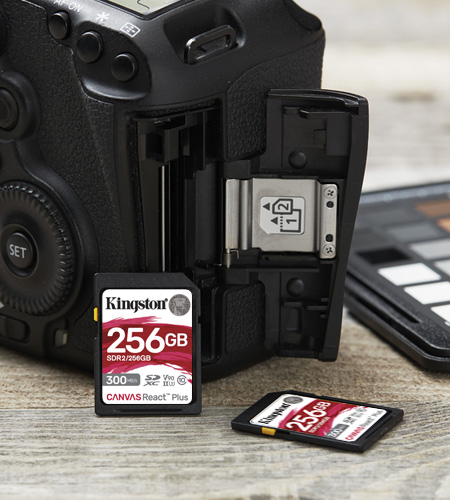
При фотосъемке некоторые пользователи предпочитают несколько карт меньшего размера одной большой, чтобы минимизировать риск потери всех фотографий в случае повреждения карты. Если вы снимаете в формате RAW, предполагающем размер файлов от 50 МБ или более, вам будет выгодна скорость U1 или U3.
Многие зеркальные и беззеркальные камеры могут снимать в режиме непрерывной съемки, что означает, что вы можете сделать целую серию фотографий, удерживая кнопку спуска затвора. Все полученные кадры сначала будут помещены в быструю промежуточную внутреннюю память камеры, именуемую буфером. Затем будет произведена запись данных с фотографий, хранящихся в буфере камеры, на карту памяти. Камера должна передавать эти данные быстро и эффективно, особенно в случае использования режима непрерывной съемки, поэтому для оптимальной работы важно иметь быструю карту памяти. Карта должна иметь высокую скорость записи, чтобы буфер не был переполнен и не мешал передаче данных.
Обязательно проверьте характеристики вашей камеры на предмет рекомендованного класса скорости.
Видео 4K

Ассоциация, занимающаяся стандартами для SD-карт (SD Card Association), рекомендует использовать для съемки видео 4K карты с классом скорости UHS 3 (U3) или более высоким, однако наиболее оптимальным вариантом является класс скорости для записи видео V30 или более высокий, поскольку современные камеры записывают в разрешении 4K со скоростью 120 кадров в секунду. В случае использования для записи видео скоростной камеры, делающей больше кадров в секунду, лучше иметь более быструю карту памяти.
Карты с более высоким классом скорости поддерживают высокую скорость передачи и позволяют записывать видео более высокого качества, однако следует помнить об одном важном аспекте: ваша камера должна быть способна справиться со скоростью карты. Нет смысла покупать карту с более высоким классом скорости, если ваша камера не поддерживает скорость записи на карту. В большинстве случаев вы сможете вставить высокоскоростную карту в более медленную камеру и она по-прежнему будет работать, однако вы не сможете воспользоваться всеми преимуществами карты, которые доступны при самой высокой скорости записи.
Проверьте характеристики вашей камеры на предмет рекомендуемого класса скорости и решите на основании разрешения и количества кадров в секунду, которые вы используете при съемке видео, нужно ли вам превышать требуемые параметры. Подробнее о выборе накопителя для съемки видео в 4K.
Дроны
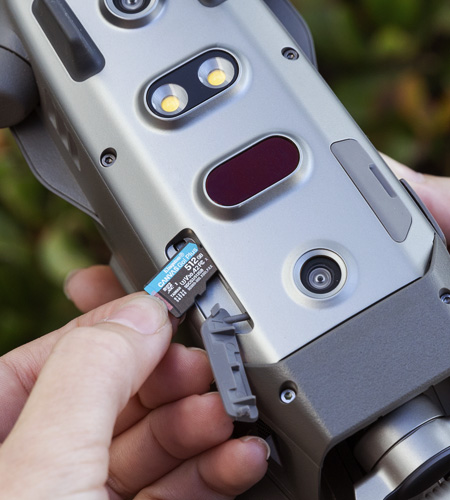
Для хранения всех отснятых материалов в дронах обычно используются карты microSD. Вам нужно будет приобрести несколько карт microSD большой емкости, которые смогут обеспечить высокую скорость передачи данных для таких форматов разрешения, как видео 4K.
Уточните у производителя устройства, какие емкость и класс скорости рекомендованы для вашего дрона. К каждому дрону предъявляются разные требования в зависимости от производителя и торговой марки. Например, DJI Mavic Air 2 имеет максимальную емкость 256 ГБ и может записывать в разрешении 4K со скоростью записи до 120 Мб/с или 15 МБ/с. Вам понадобится карта емкостью 32 ГБ, 64 ГБ, 128 ГБ или 256 ГБ с классом скорости U3 или V30.
Мы рекомендуем иметь несколько карт microSD для вашего дрона, чтобы снизить вероятность потери отснятого материала, поскольку карты памяти со временем изнашиваются. Никогда не знаешь, что может случиться во время работы, а при хранении всех отснятых материалов на одной карте возникает риск утери всех данных сразу. Подробнее о выборе накопителя для дронов.
GoPro
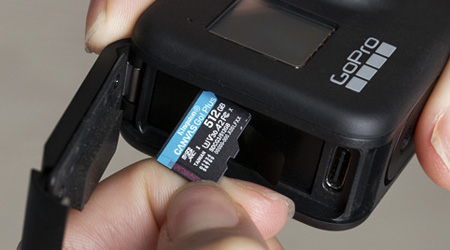
На веб-сайте GoPro приведен список рекомендуемых карт microSD. На веб-сайте компании указано, что для всех камер GoPro требуются карты microSD класса не ниже 10, однако лучше отдать предпочтение картам с классом скорости U1 или U3, поскольку они обладают лучшими скоростными характеристиками, позволяя максимально раскрыть потенциал GoPro. Список карт, которые поддерживают камеры GoPro
- Модель HERO (2014) поддерживает карты емкостью до 32 ГБ
- Модели HERO3 Black, HERO3+, HERO+ и HERO+ с ЖК-дисплеем поддерживаю карты емкостью до 64 ГБ
- Модели HERO4, HERO Session, HERO Fusion, HERO5 Black, HERO6 Black, HERO (2018), HERO7 Silver & White поддерживают карты емкостью до 128 ГБ.
- Модели HERO7 Black, HERO MAX и HERO8 Black поддерживаю карты емкостью до 256 ГБ.
Если вы снимаете видео 4K с помощью GoPro, вам стоит выбрать карту microSD с высоким классом скорости. Для съемки видео с помощью GoPro в формате 4K со скоростью 60 кадров в секунду и скоростью записи 12 МБ/с требуется высокоскоростная карта microSD с классом скорости не ниже U3 или V30. Это очень сложная задача, требующая высокой скорости записи и большого объема памяти. Даже для съемки с разрешением 1080p и скоростью 240 кадров в секунду требуется достаточно быстрая карта памяти с большой емкостью.
Проверьте технические характеристики GoPro, чтобы узнать, какая карта microSD совместима с ней и нужно ли выходить за рамки минимальных требований с точки зрения скорости и емкости. Подробнее о выборе накопителя для GoPro.
Nintendo Switch и 3DS

Nintendo Switch принимает карты microSDXC с объемом памяти до 2 ТБ, что отлично подходит для загрузки игр. Мы рекомендуем приобрести для консоли Switch карту памяти большой емкости, поскольку игры занимают много места. Если вы загружаете такие игры, как «Legend of Zelda: Breath of the Wild», которая занимает до 13,4 ГБ, вам понадобится карта памяти большой емкости для увеличения уже имеющейся памяти системы Nintendo Switch емкостью 32 ГБ.
В то же время карты microSDXC недоступны для владельцев Nintendo 3DS, 3DS XL и 2DS. Nintendo 3DS/2DS поддерживает только карты SDHC емкостью 32 ГБ или менее. Если вы планируете загружать много игр, вам просто нужно будет приобрести несколько карт microSD на 32 ГБ. Подробнее о выборе накопителя для Nintendo Switch.
Телефоны с ОС Android™
Если вы планируете снимать видео 4K на свой телефон, вам понадобится карта microSDXC с классом скорости U3 и как минимум 64 ГБ памяти. В остальных случаях большинству пользователей смартфонов для хранения фотографий, видео и мобильных игр достаточно карты microSDHC на 16 ГБ или 32 ГБ. Карты microSDHC на 32 ГБ должно хватить на некоторое время, прежде чем закончится место для хранения. Многие смартфоны, включая Samsung Galaxy S20 и LG G8, поддерживают карты microSDXC с объемом памяти до 1 ТБ. Подробнее о выборе накопителя для телефонов с Android.
Видеорегистраторы
Для записи отснятого при вождении материала на видеорегистратор наиболее важными факторами, которые следует учитывать, являются длительность записи и условия, в которых будет находиться автомобиль. Для этого потребуется карта памяти повышенной надежности. Карты памяти microSD с высокой износостойкостью выдерживают как многократные циклы записи и перезаписи, так и экстремальные температуры, с которыми вы можете столкнуться во время вождения или стоянки автомобиля. В идеале выбранная вами карта памяти должна быть защищена от экстремальных температур, ударов и воды. Узнайте подробнее о выборе накопителя для видеорегистраторов.
Камеры видеонаблюдения

При выборе карты памяти для использования в камерах видеонаблюдения необходимо учитывать, какой тип видеоматериала записывает камера: низкого или высокого разрешения. Разница в размерах видеофайлов с разрешением 720p и 1080p существенна, а между файлами в разрешении 1080p и 4K — еще больше. Будет ли камера вести запись круглосуточно или только после срабатывания датчика движения? В этом случае очень важна скорость записи. Низкая скорость записи может привести к прерыванию или искажению кадров из-за неспособности формата хранения «успевать» за записью. Карты памяти должны быть прочными, устойчивыми к погодным условиям и перепадам температур, особенно если речь идет о камерах наружного видеонаблюдения. Подробнее о выборе накопителя для камер видеонаблюдения .
Как выбрать карту памяти для камеры GoPro

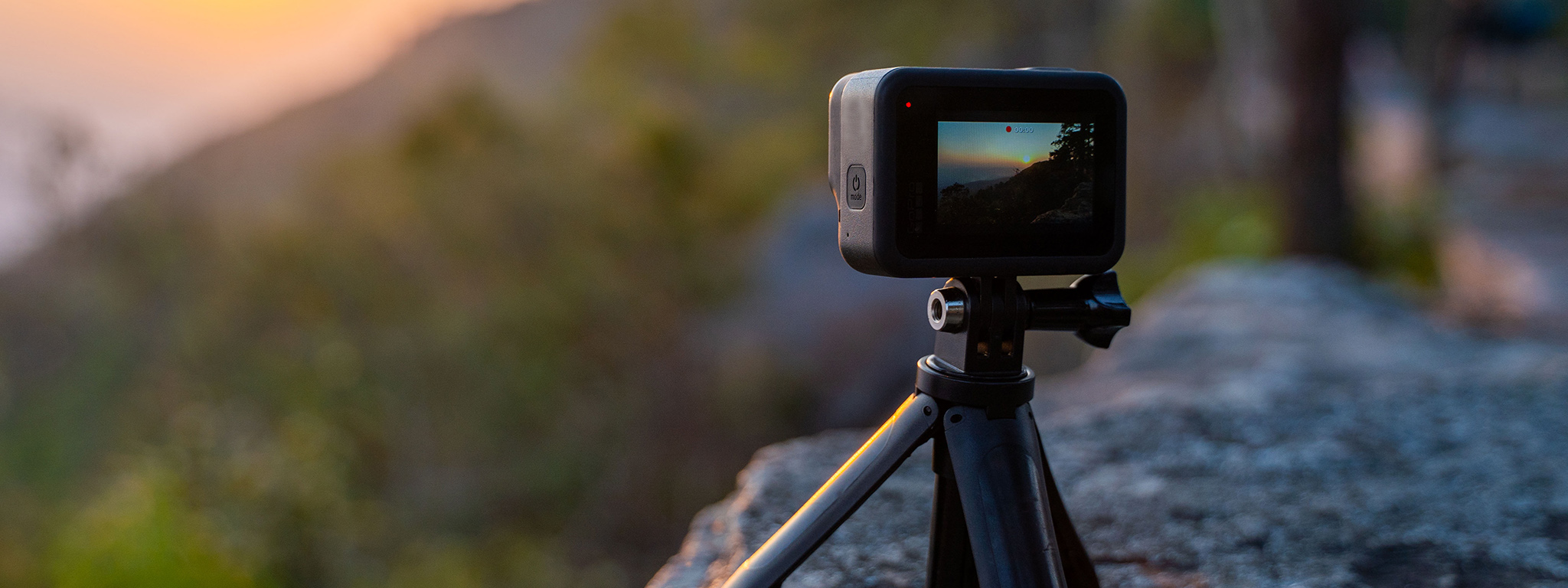
Можно смело утверждать, что камеры GoPro дали обычным людям возможность легко и экономично снимать динамичные видеоролики. От ярких видов и звуков дерзкого спуска на лыжах по пересеченной горной местности до необузданного мотопробега по ухабистым дорогам или поездок в экзотические места — все будет запечатлено в самом высоком разрешении, какое только можно вообразить. С камерой GoPro искатели приключений могут не только прочувствовать всё сами, но и запечатлеть каждую секунду, а затем поделиться впечатлениями с другими.
При отсутствие встроенной внутренней памяти ответственность за безопасное хранение данных всех захватывающих дух видов и звуков, которые обеспечивает GoPro, ложится на надежную карту памяти microSD. Съемка видео в разрешении 4K с частотой 60 кадров в секунду или даже в разрешении 1080p с частотой 240 кадров в секунду с помощью камеры GoPro предъявляет высокие требования к карте памяти microSD. Для устойчивой записи с помощью GoPro требуется высокая скорость записи и большая емкость хранилища.
Фактически необходимая емкость зависит от нескольких факторов: что вы снимаете, как долго будет происходить съемка, и готовы ли вы рисковать нехваткой места в процессе съемки. Если есть возможность, то сразу покупайте карту памяти большей емкости. Это поможет вам в долгосрочной перспективе предотвратить разочарование при прекращении записи из-за нехватки места на карте памяти.
Выбор стал немного проще, так как карты microSD предлагаются в двух вариантах: SDHC (Secure Digital High Capacity) и SDXC (Secure Digital Extended Capacity). Емкость карт SDHC составляет 32 ГБ и менее, а карт SDXC — 64 ГБ и более. А вот информация для технарей: в картах SDHC используется формат файловой системы FAT32, а в SDXC — более гибкая и новая файловая система exFAT.
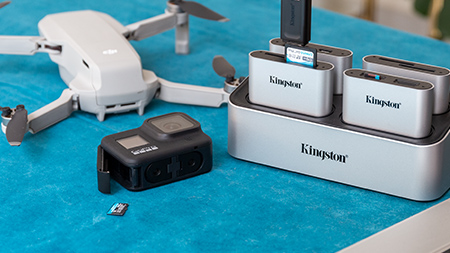
При использовании камеры GoPro очень важна скорость записи microSD. Чем больше, тем лучше. На самом деле, недостаточная скорость может убить ваши мечты о долгой непрерывной записи в разрешении 4K или 8K без искажений.
Практически для любой камеры GoPro рекомендуется карта памяти как минимум класса 10 (запись со скоростью не менее 10 МБ/с). Однако карта памяти U3 (30 МБ/с) разработана для поддержки видео с разрешением 4K, в котором снимает камера GoPro. Кроме того, карта должна поддерживать сверхвысокую скорость (UHS-I или UHS-II), которая представляет скорость интерфейса шины карты. Еще не запутались? Тогда ищите классификацию VSC (класс скорости для видео) V30, V60 или V90, которая представляет способность карты записывать 30 МБ, 60 МБ или 90 МБ в секунду соответственно.
Камеры GoPro лучше всего работают в реальном мире. Вы не получите насыщенную действием запись во время неспешной прогулки. А для активных занятий первостепенное значение имеют долговечность и надежность карты microSD. Выбирайте карту, которая была протестирована на ударопрочность, водонепроницаемость, устойчивость к вибрации, воздействию температур и рентгеновскому излучению. А распространяющаяся на карту пожизненная гарантия только увеличит ценность ваших инвестиций.
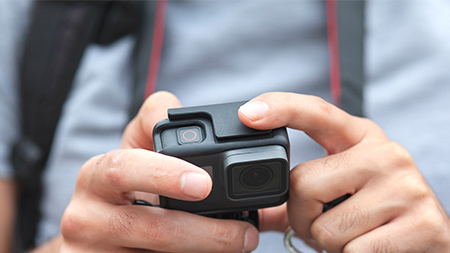
HERO10 Black
Для хранения видео и фотографий вам потребуется карта памяти microSD (продается отдельно). Используйте фирменную карту памяти, соответствующую следующим требованиям:
- microSD, microSDHC™ или microSDXC™
- Класс V30 или UHS-3
- Емкость до 512 ГБ
HERO9 Black, HERO MAX, HERO 7/8/9 Black
Для хранения видео и фотографий вам потребуется карта памяти microSD (продается отдельно). Используйте фирменную карту памяти, соответствующую следующим требованиям:
- microSD, microSDHC™ или microSDXC™
- Класс 10 или UHS-I
- Емкость до 512 ГБ
HERO4 и камеры более старых моделей
Для хранения видео и фотографий вам потребуется карта памяти microSD (продается отдельно). Используйте фирменную карту памяти, соответствующую следующим требованиям:
- microSD, microSDHC или microSDXC
- Класс 10 или UHS-I
- Емкость до 128 ГБ 1
Нет ничего хуже ситуации, когда все потрясающие кадры, снятые GoPro, просто исчезают на полпути, потому что закончилось место на карте microSD. Сохраните воспоминания на всю жизнь с помощью совместимой карты microSD.